
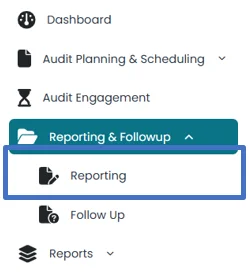
- Click on “Reporting” under Reporting and Follow Up
Under this section, List of all approved jobs from audit engagement section are shown with the following information;
- Sr. #
- Particulars
- Status
- No. of Observations
- Location
- Sub-location

- This section shows the status at
Exceptions to be sent to the Management
Awaiting Management Comment
Management comments received
Exception to be implemented
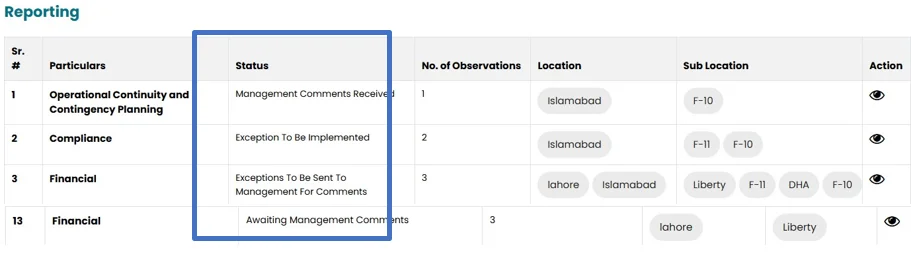
- After approval from internal audit head in audit engagement section, user can view observation list by clicking on view icon.
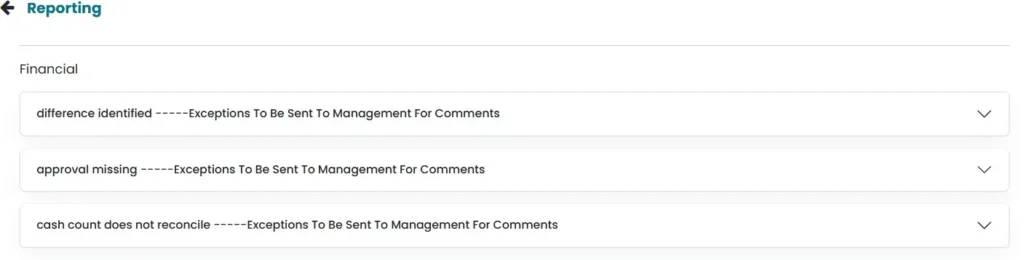
- Click on each Observation to view and update observation window. Observation title and observation will be populated from the previous section.
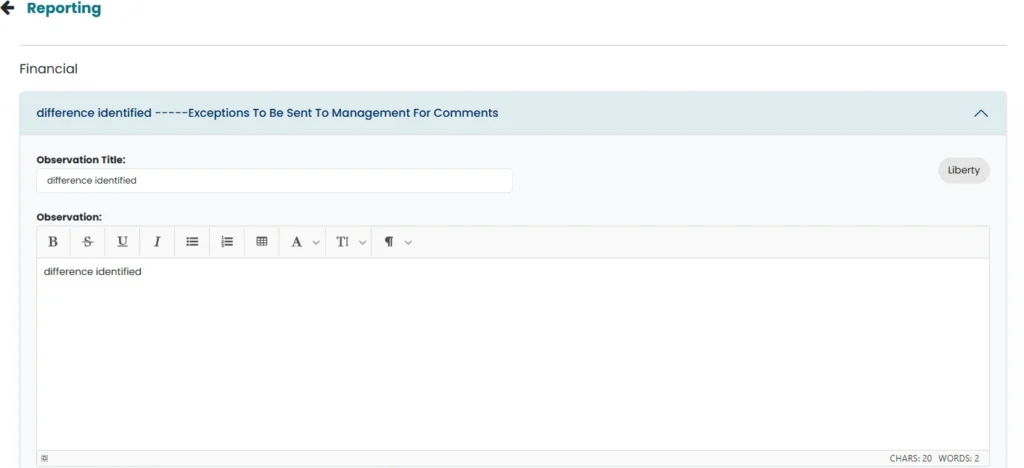
- Select implication rating from the drop-down list
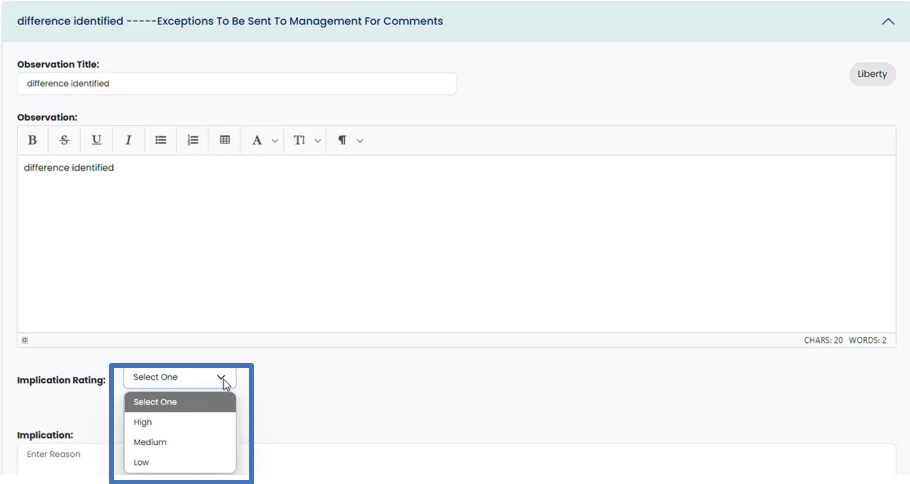
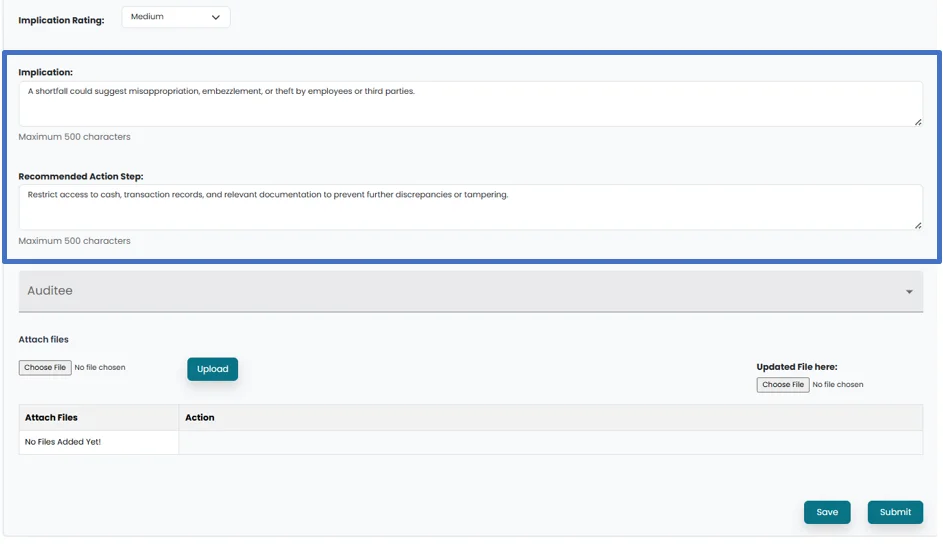
- Populate Implication of the observation and Recommended Action Steps.
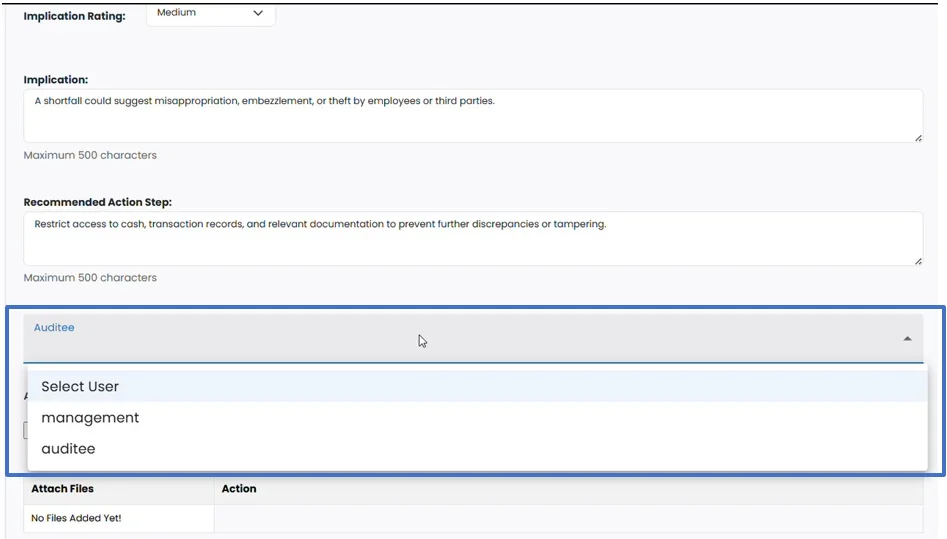
- Select the Auditee to which observation need to be sent from the drop-down list.
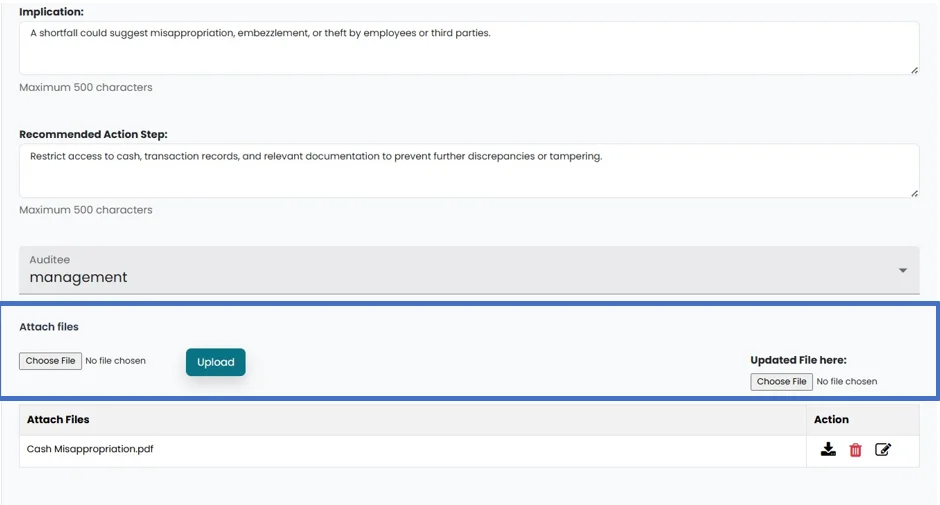
- File can be attached by clicking on “Choose file” and then clicking on “upload” button
- Save the changes by clicking on save button
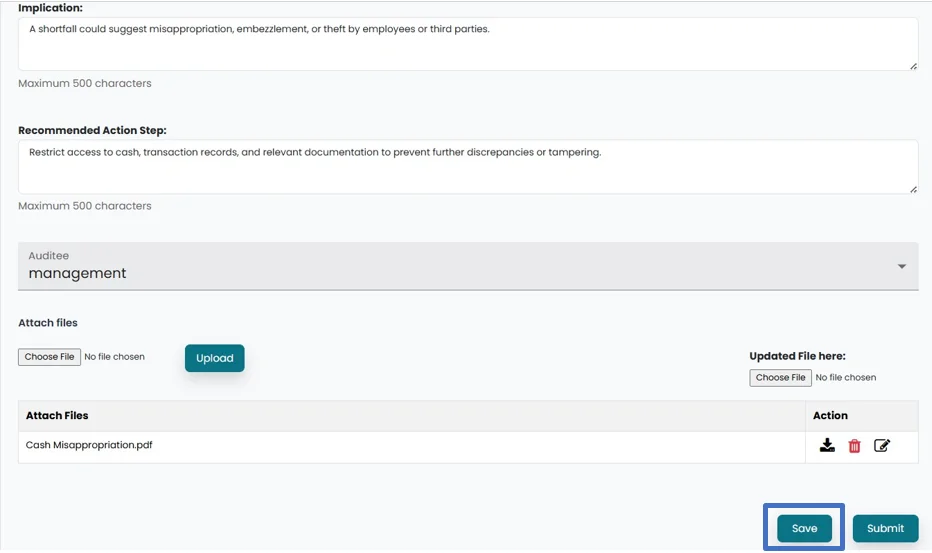
- Save the changes by clicking on save button
- Click on the “Submit” button to forward the progress to Head of Internal Audit.
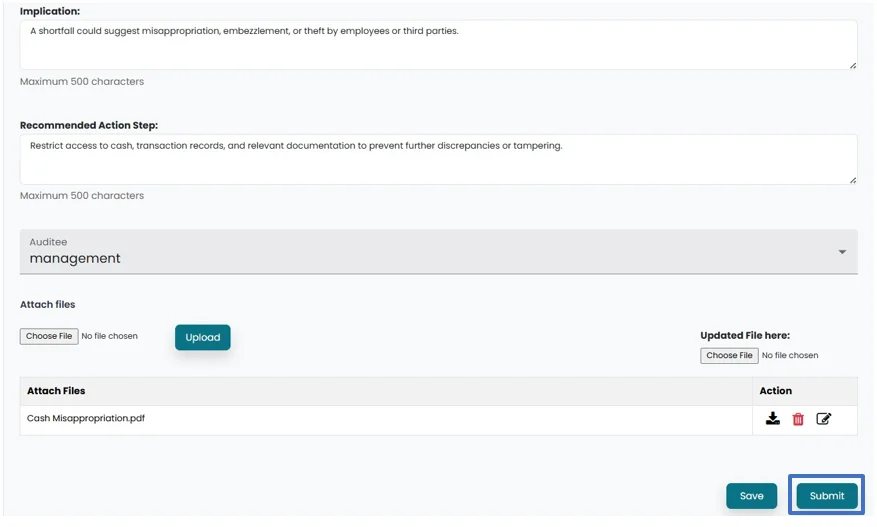
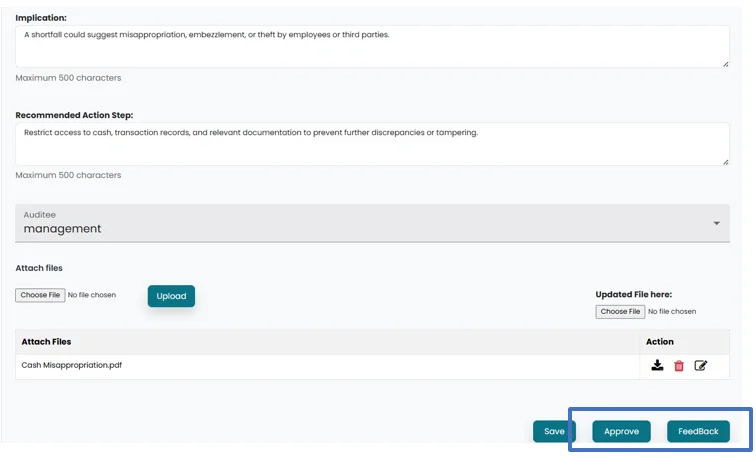
- After submission , an “Approve” and “Feedback” button will appear in the Internal Audit Head’s account. The Internal Audit Head can review and either provide feedback by clicking on feedback button or Approve by clicking on Approve button to “Approve” the Observation to be sent to management.
- After approval from the Internal audit head, observation is sent to selected management account for comment and observation status will be updated to “Awaiting Management Comment”.

- Management can see the observation by clicking on reporting on the left side. Observation can be viewed by clicking on the view icon.
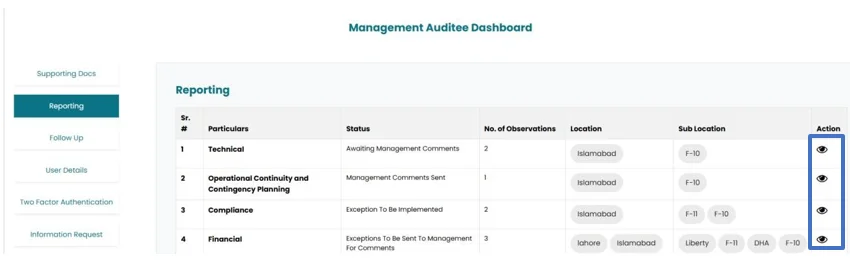
- Observation along with comment, implication rating and recommended action steps can be viewed.
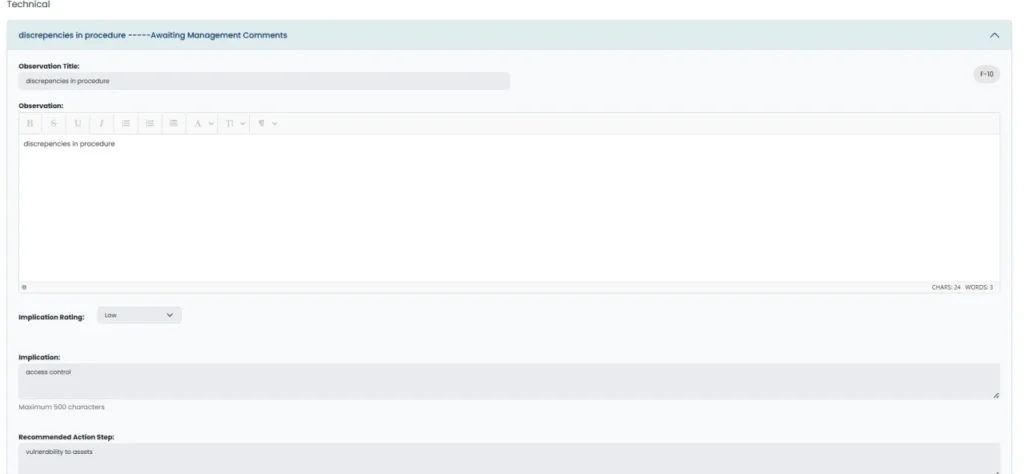
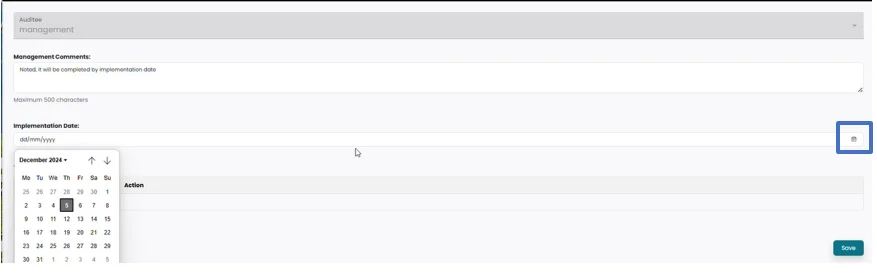
- Management can add their comment under Management comment section and select the implementation date by clicking on calendar icon.
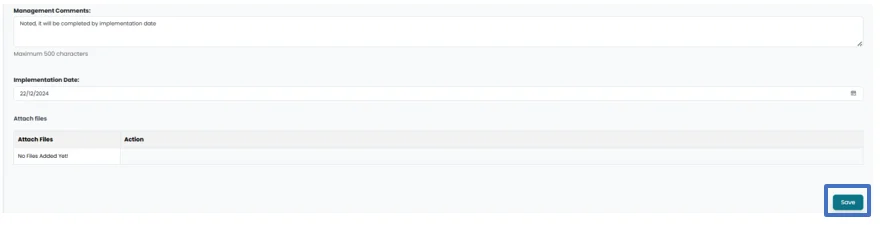
- Management can save changes by clicking on the Save button.
- Submit button will appear after saving. After submission by Management , observation status in auditor account will be updated to “ Management Comments Received”
- Management comment and implementation date will be populated under observation. User can click on feedback button, in order to comment on management response.
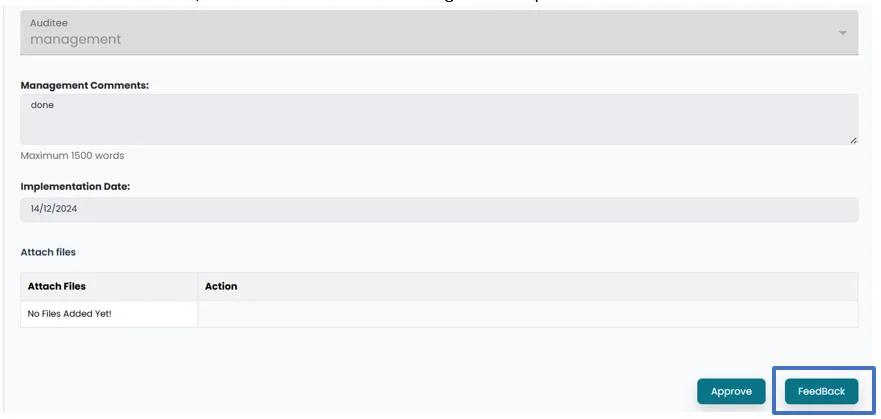
- User can approve management response by clicking on Approve button.
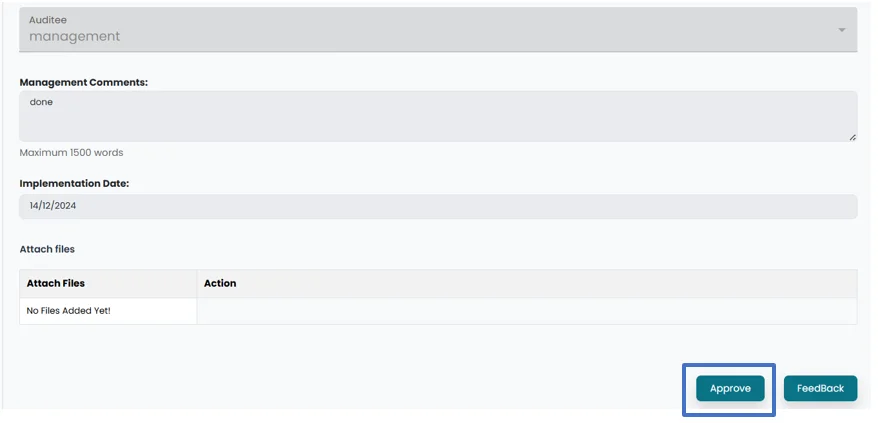
- Once approved status will be updated to “Exceptions to be implemented”.