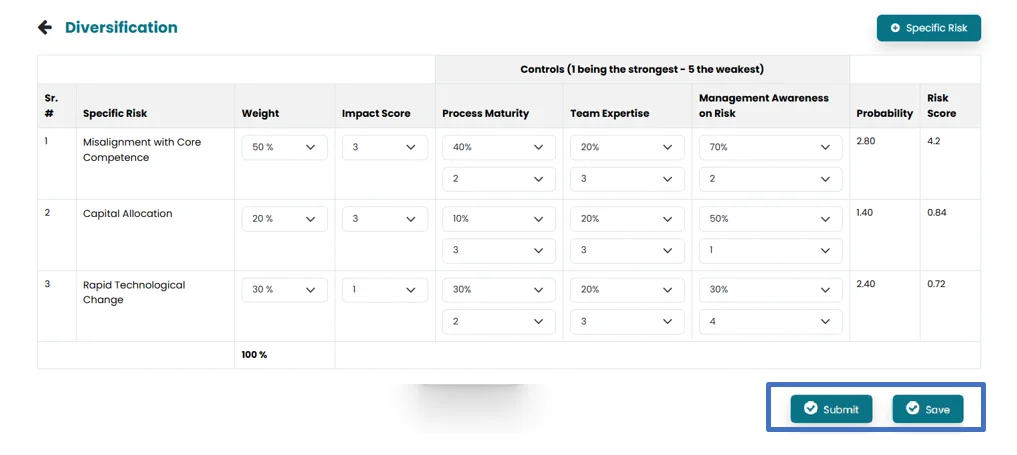
- Perform Risk Assessment for a job after it has been Submitted from the Audit Universe.
- Click on the Perform Risk, in order to start performing risk assessment.

- Click on Specific risk to add risk factor related to the business objective.

- A new window will open, Populate the area provided for risk factor and then click Add.

- Each risk can be assessed on the basis of added risk factors in the settings. System will populate the added specific risk and controls (Risk Factor) from the settings.
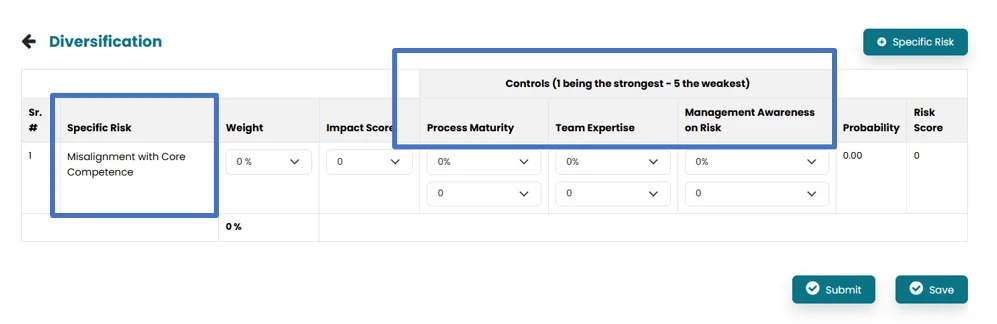
- Number of risks can be added in relation to 1 business Objective by clicking on specific risk.
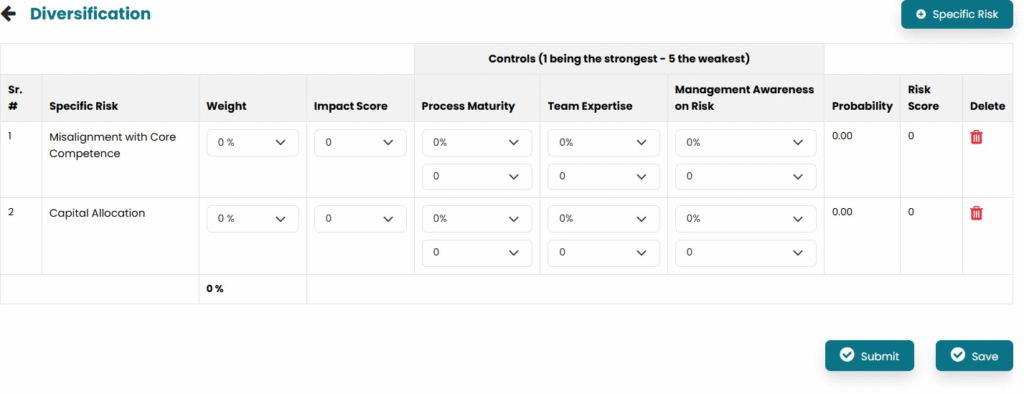
- Select risk weightage and impact score from the drop-down menu. The total sum of all line items weightages must be 100.
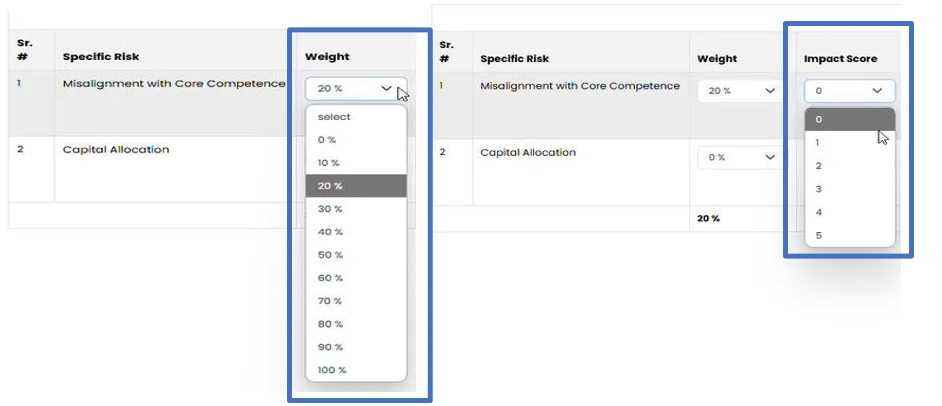
- Select impact percentage (0%-100%) and maturity of each control (1- being the strongest and 5- being the weakest) from the drop-down menu.
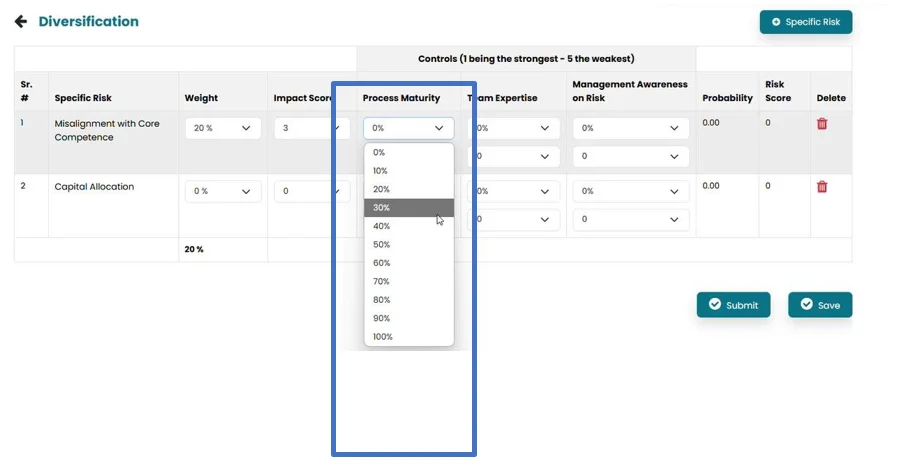
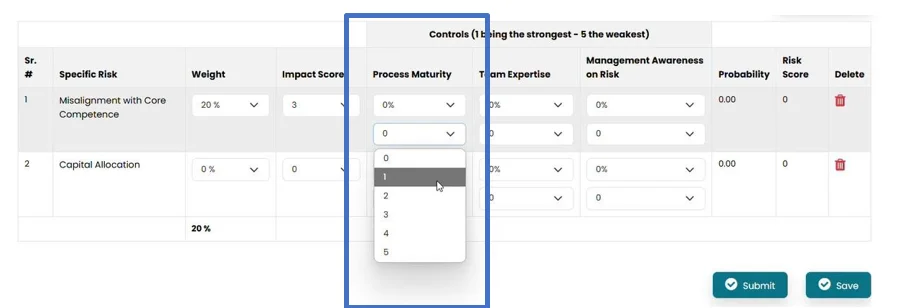
- System will calculate probability of risk and risk score based on weightage, impact score and controls.
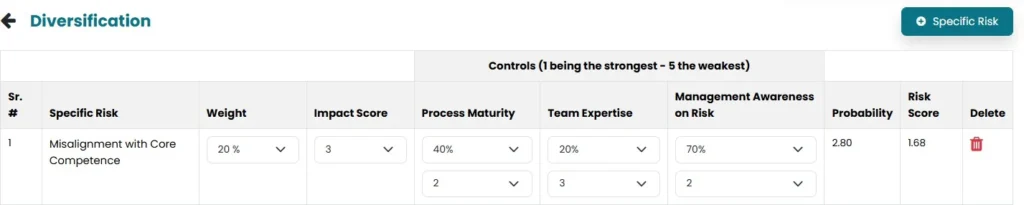
- Once the risk assessment is completed, the initiator can click on the “Save” button to save the job progress. Click on the “Submit” button in order to move the job forward to the Audit Job section.