- Click on “Job Prioritization” under audit planning and scheduling on the left bar.

- Under this section, “Auditable Unit”,” Objective” and “Risk Rating” will be populated automatically from the previous sections.
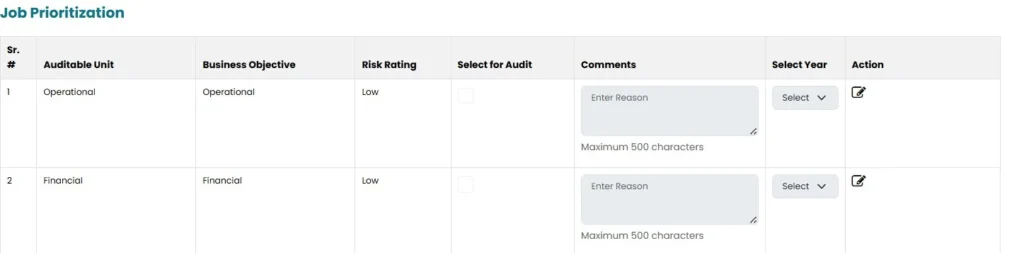
- User can make changes by clicking on “Edit” icon in the Action area.
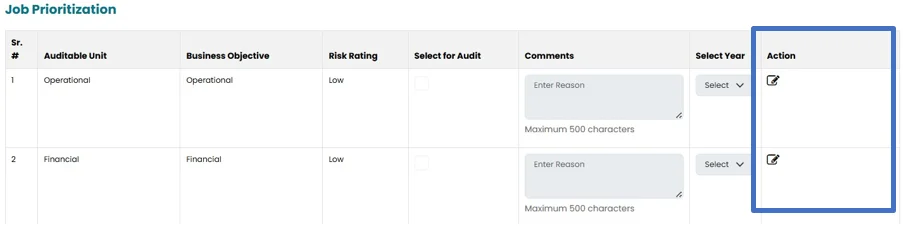
- User can select the job for Audit by clicking on the check box mentioned in the “select for Audit”.

- User will select the year from the Dropdown available under the heading of “Year”. In addition to current year, user can plan up to 4 years in advance.

Note: If you have selected the different year, other than the Current year, the Job will be visible in the Job Prioritization section in the year selected by the user.
- Comments can be added under “Comment” section.

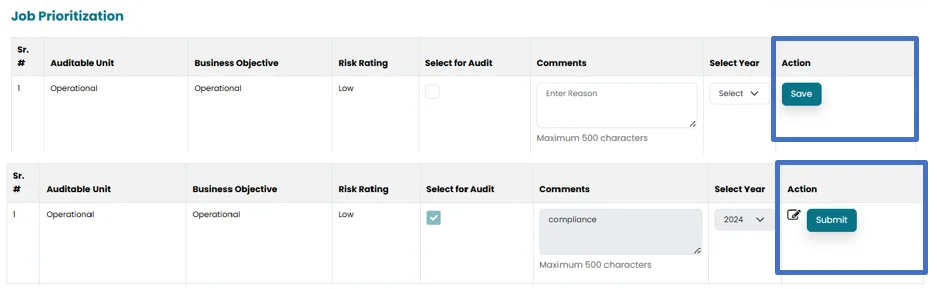
- Save the job by clicking on ”Save” button and then click on “Submit” button for populating the job in “Job scheduling”.