
Risk Control Matrix (RCM) Library
A risk control matrix connects a business objective to the risks that could prevent it, the controls designed to address those risks, and the audit procedures used to evaluate those controls. Use this guide to understand the structure, review a worked example and create a reusable RCM library in Abilite.
See the worked example · Review the quality checklist · Open the Abilite instructions · Read common questions
What should a risk control matrix contain?
Start with a specific process and objective. Write the risk as an event and consequence, describe what the control owner actually does, and define the evidence an auditor will examine. A control such as “management reviews transactions” is too vague to test consistently. State who performs the review, what they review, when it happens and how exceptions are resolved.
A useful working structure records the process, objective, risk, control, control owner, frequency, evidence, audit procedure and conclusion. These are practical planning fields; your organization should adapt them to its methodology. The fields below are an illustrative audit example, not a representation that every column is a separate Abilite software field.
Risk control matrix example for procurement
Consider a Saudi organization reviewing supplier payments. The objective is to pay only approved suppliers for goods or services actually received. This example is illustrative and should be adjusted to your approval limits, systems and audit scope.
| RCM field | Illustrative entry |
|---|---|
| Process and objective | Accounts payable — release accurate, authorized supplier payments. |
| Risk | An unauthorized change to supplier bank details directs a legitimate payment to the wrong account. |
| Control | Before a bank-detail change is activated, an independent approver verifies it using an established supplier contact and records approval in the supplier record. |
| Owner and frequency | Designated finance approver — each supplier bank-detail change. |
| Evidence | Change request, verification record, approval and supplier-master change log. |
| Audit procedure | Obtain the change population for the audit period, assess its completeness, select a justified sample and inspect whether independent verification and approval occurred before activation. |
| Conclusion and follow-up | Record the evidence examined and exceptions found. Evaluate their significance, agree action ownership and track resolution where needed. |
Five checks before you reuse an RCM
- Confirm the objective. Keep the matrix tied to the engagement scope rather than copying an unrelated department’s controls.
- Match each control to a risk. One risk may need several controls. A control should explain how it addresses the identified exposure.
- Separate design from operation. A documented control may be well designed yet fail to operate during the period under review.
- Make the test reproducible. Specify the population, period, evidence and assessment criteria so another auditor can understand the work.
- Review the library before each engagement. Update owners, systems and control descriptions when the underlying process changes.
For Saudi teams, add relevant regulatory references only after confirming applicability and the specific control requirement. An RCM is a working audit document; creating one does not by itself establish regulatory compliance.
IIA-Australia’s work-program and risk-and-control-matrix factsheet explains that an engagement work program must be documented, while the format can vary. Use an RCM to support the engagement objectives rather than treating one template as universally mandatory.
How to use the RCM library in Abilite
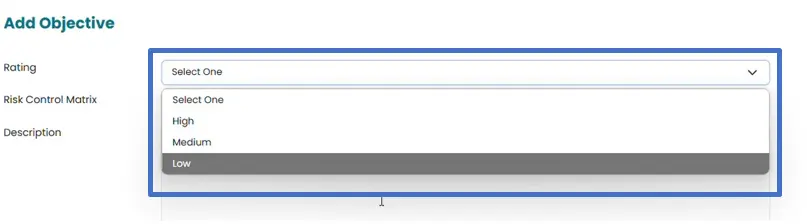
The product instructions and screenshots below show how to create an RCM, associate objectives, risks and controls, and add the audit program. Use your team’s approved risk-rating methodology when selecting ratings.
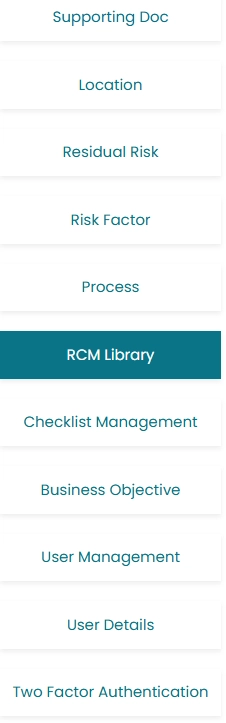
- Click on RCM Library located on the left side of the screen, in order to view or add Risk control matrix and create RCM library.
- Risk Control matrix can be added by clicking on Add button.
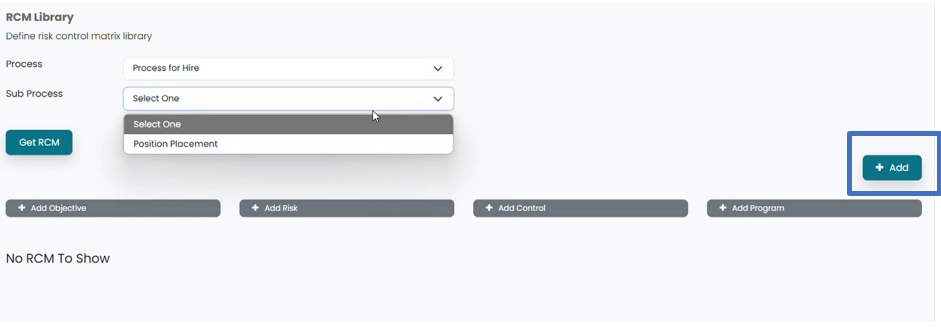
- New window will Open.

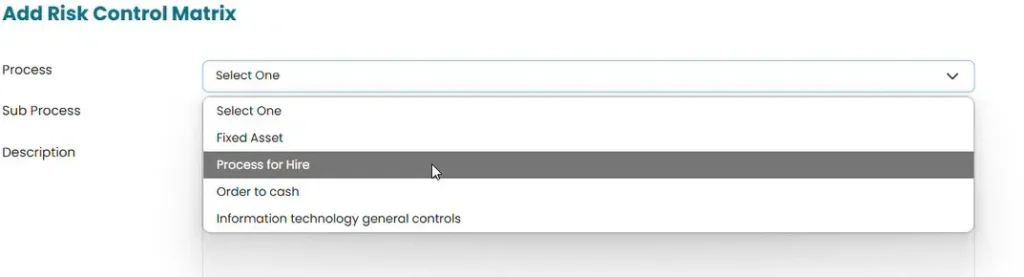
- Click on Process to select process from the drop-down menu, for which RCM need to be added.
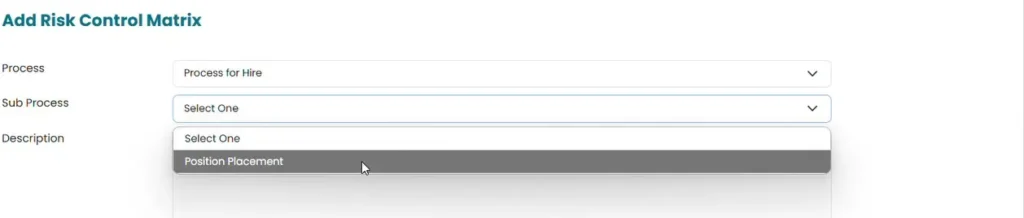
- Click on Sub process to select from the drop-down menu.
- Add name of the RCM in the area provided for description.
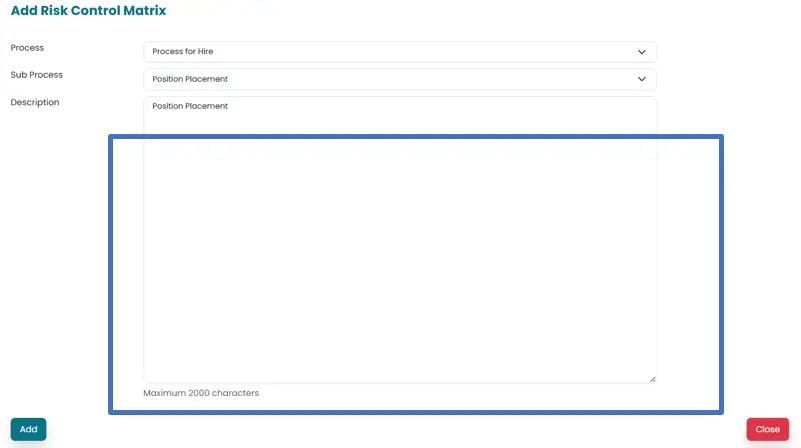
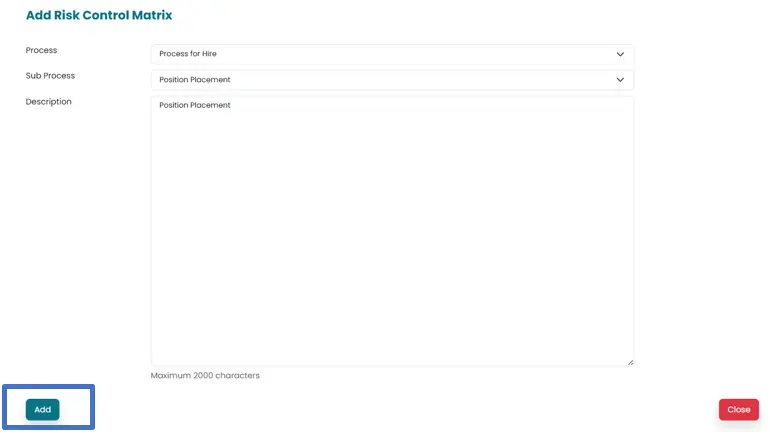
- Click on Add button in order to save the Risk control matrix.
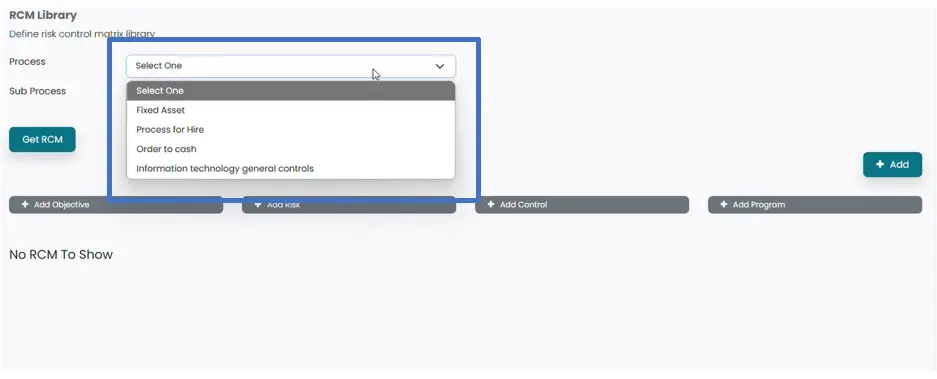
- RCM can be viewed by Clicking on Process to open the drop-down menu populated by system from process added in previous section.
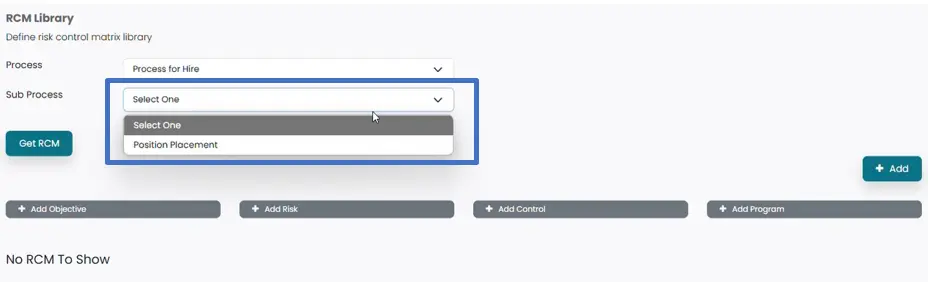
- Click on sub process to select the subprocess populated from previous section.
- Click on Get RCM Button to populate the saved RCMs.
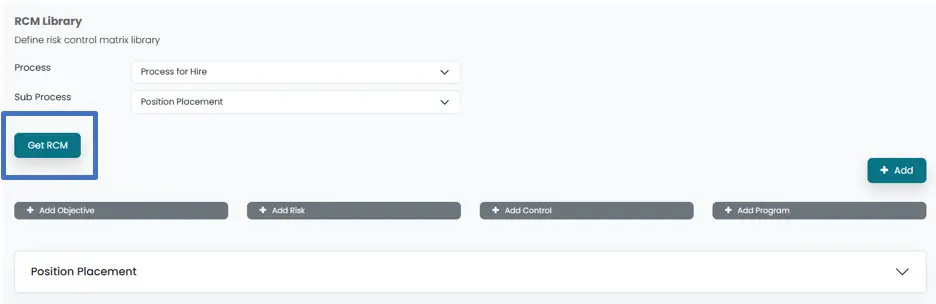
- Objective of the RCM can be added by Clicking on Add objective button. Which will open a new window.
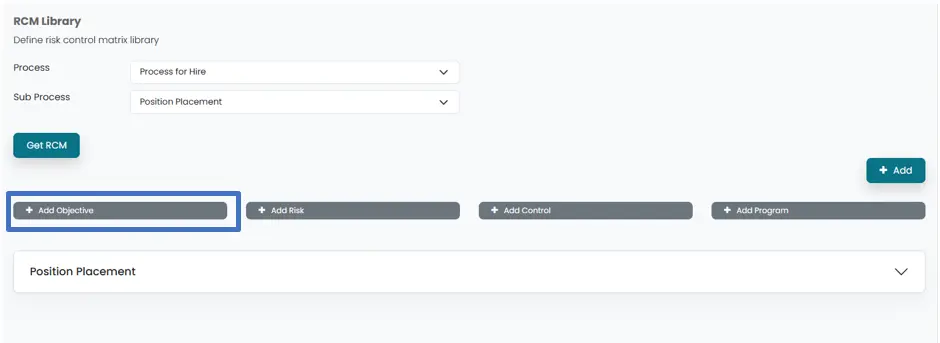
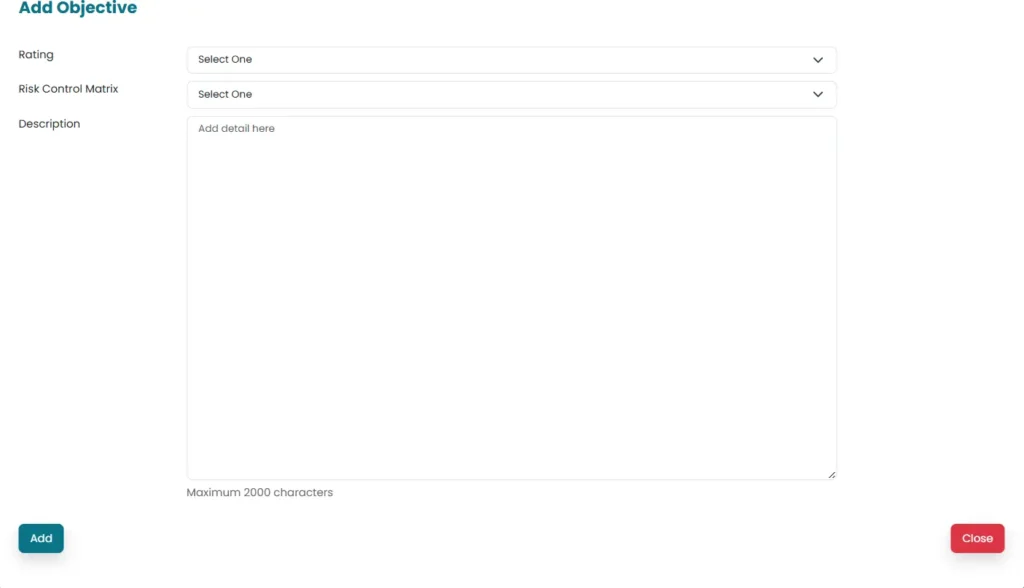
- Select Rating and Risk Control Matrix (populated by the system) from the drop down menu
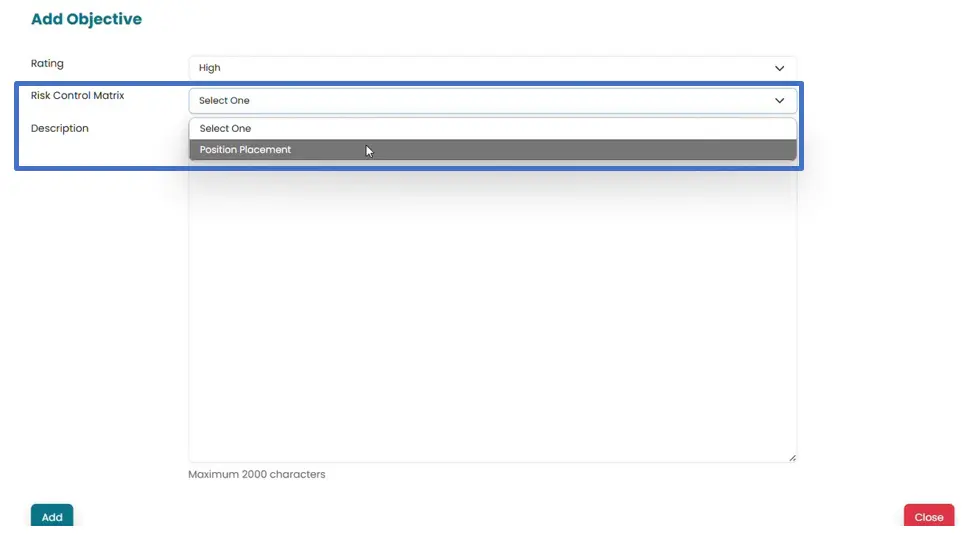
- Add details of objective in the area provided for description and then click on Add button to save the changes made.
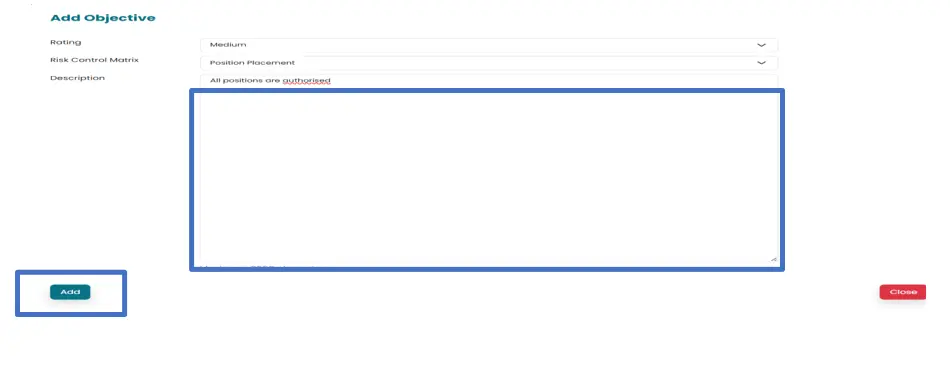
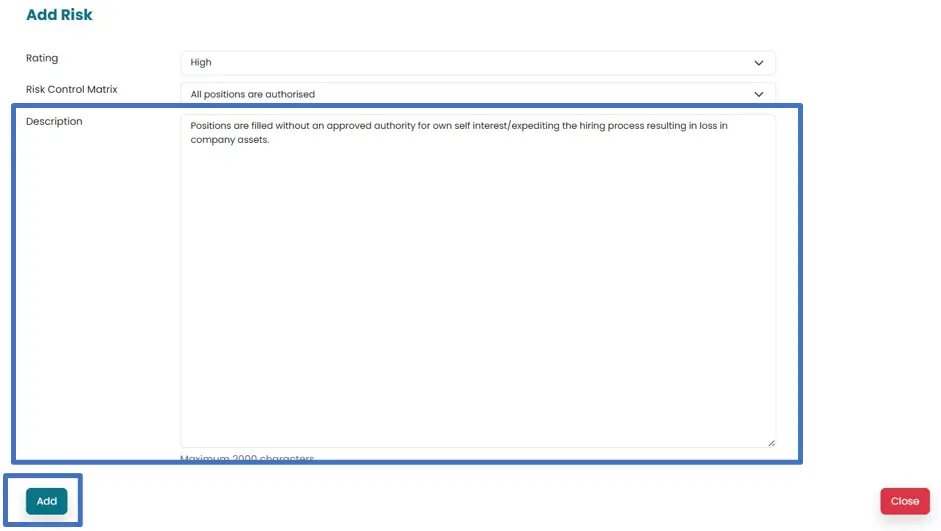
- Click on Add risk in order to save the risk associated with Objective.
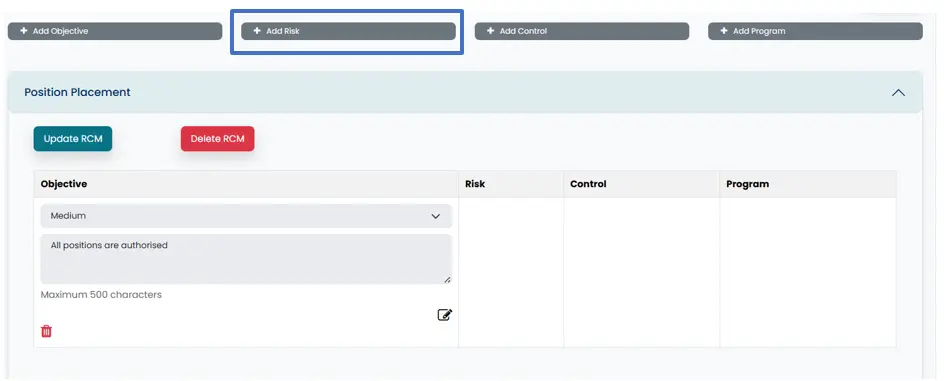
- Select Rating from the drop-down menu.
Select Objective from the from drop-down menu. They are populated by the system
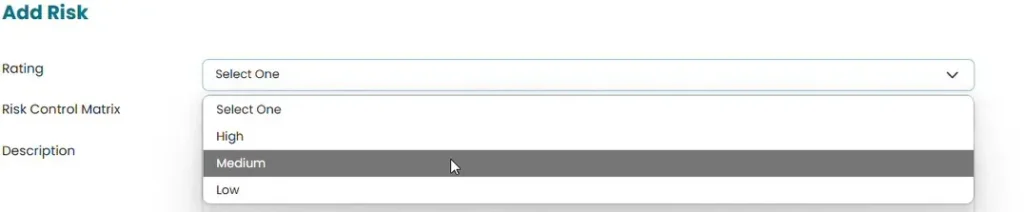

- Add details of risk in the area provided for description and then click on Add to save the risk associated with selected objective.
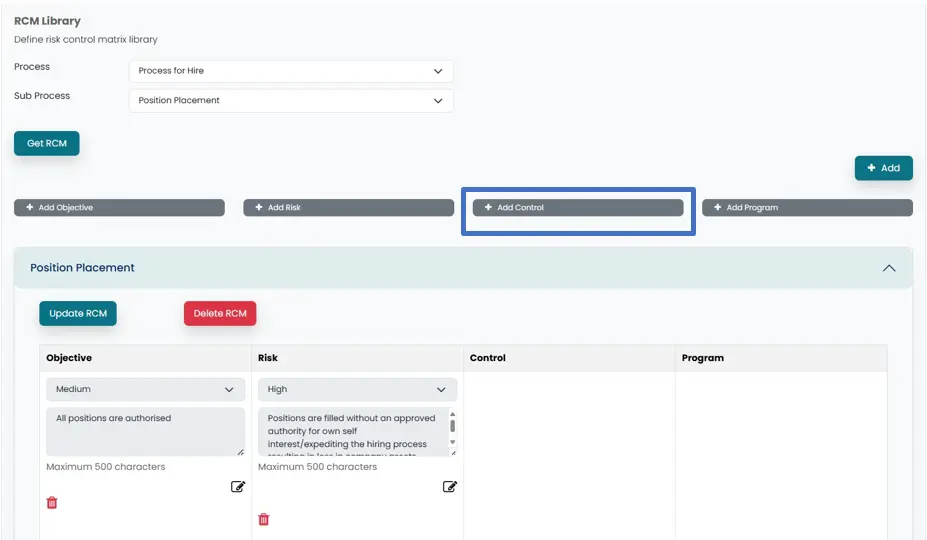
- Click on “Add control” in order to add control in relation to risks identified. A new window will open.
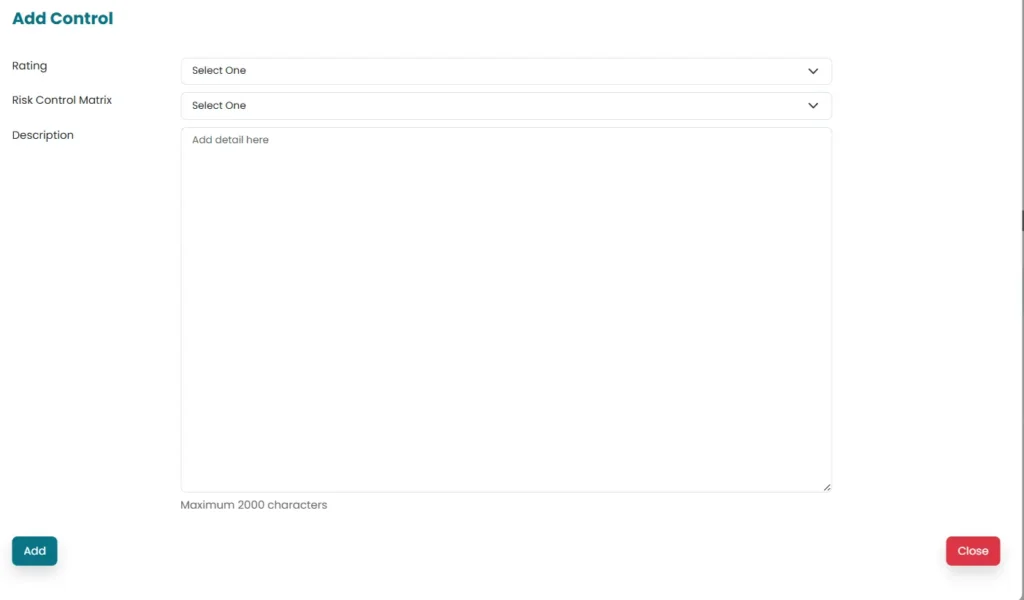
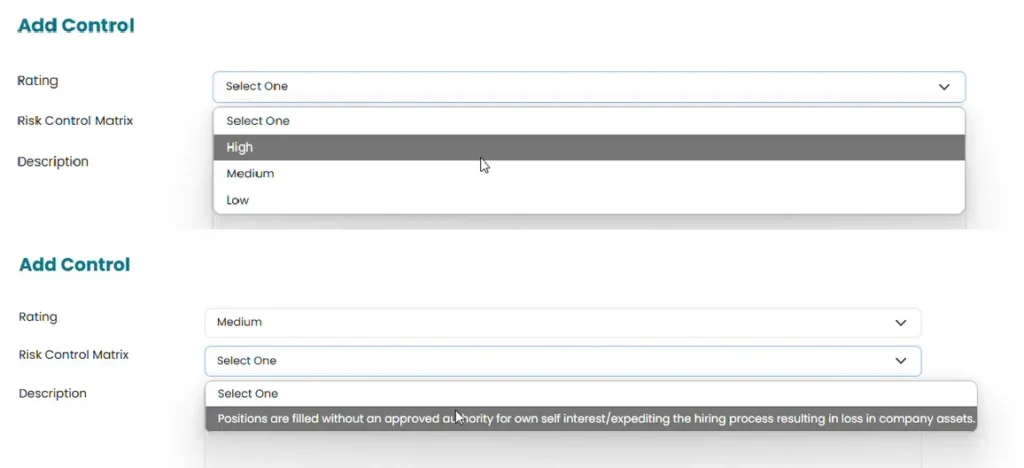
- Select Rating and risk (populated by the system) for which control is added, from the drop-down menu.
- Add details of Risk in the area provided for description.
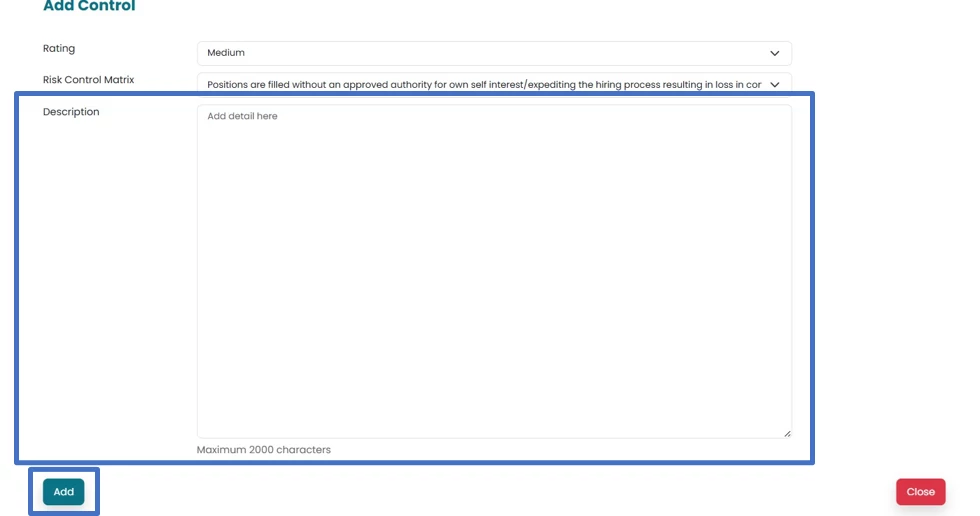
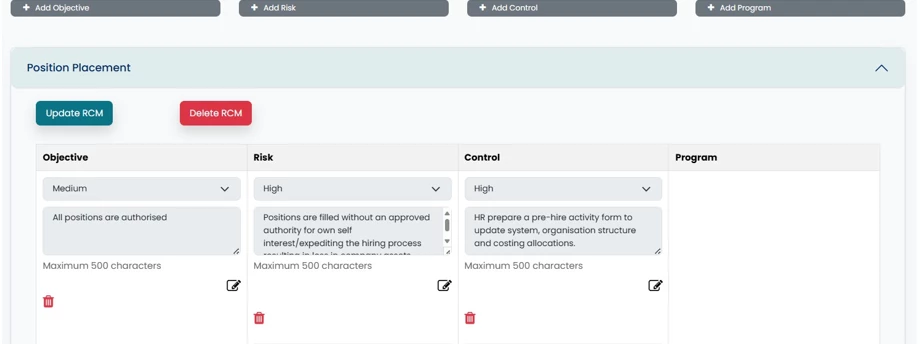
- Control will be populated against the selected risk. Multiple controls can be added for each identified risk.
- Click on Add Program in order to populate Audit program for added controls. A new window will open.
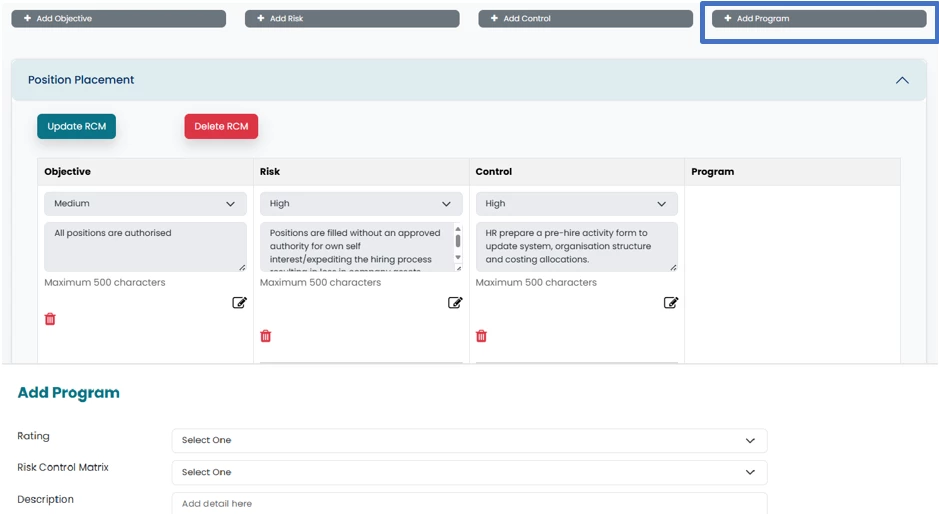
- Select Rating and controls (populated by the system) from the drop-down menu.

- Add details and click on Add button to save the Audit progam.
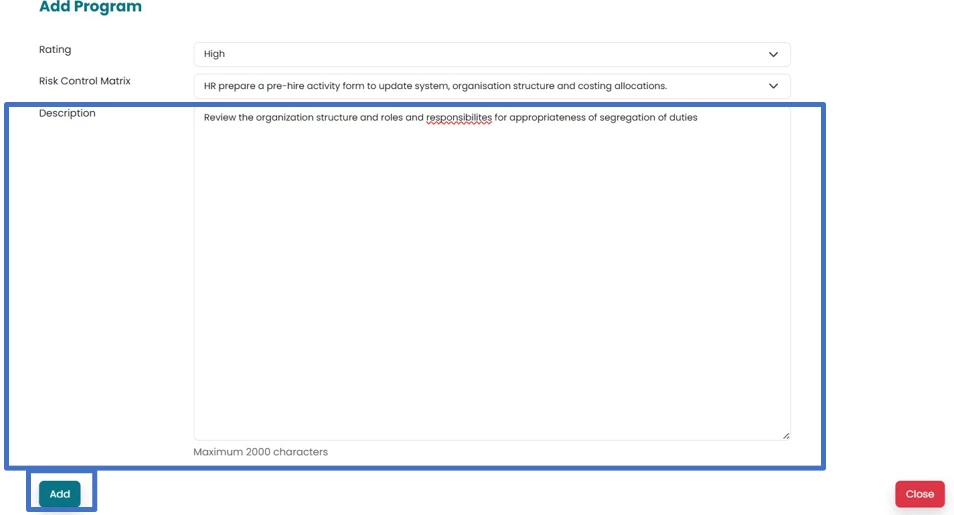
- Objective along with risks, control Audit program will be saved.
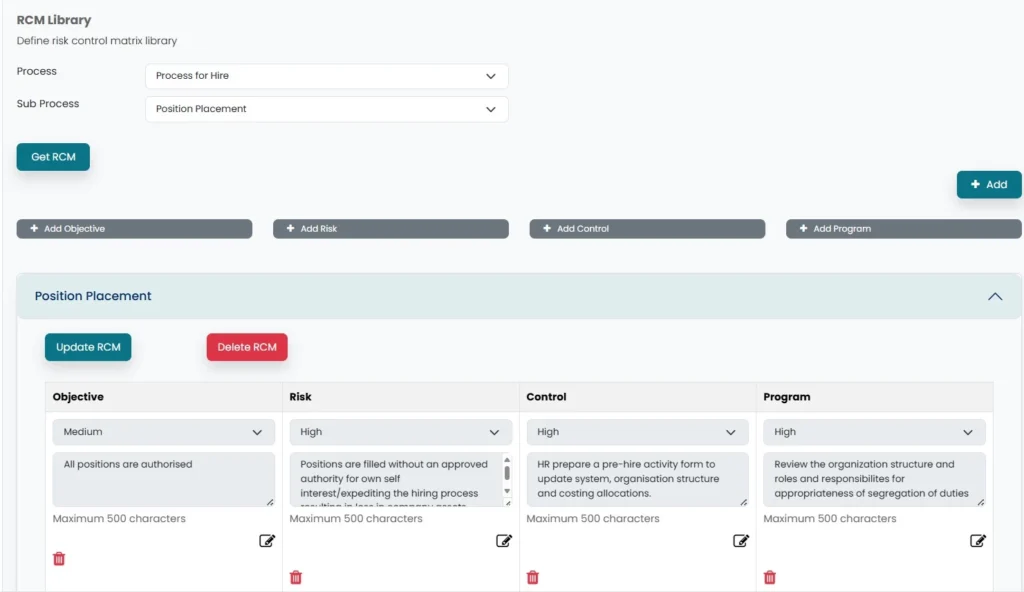
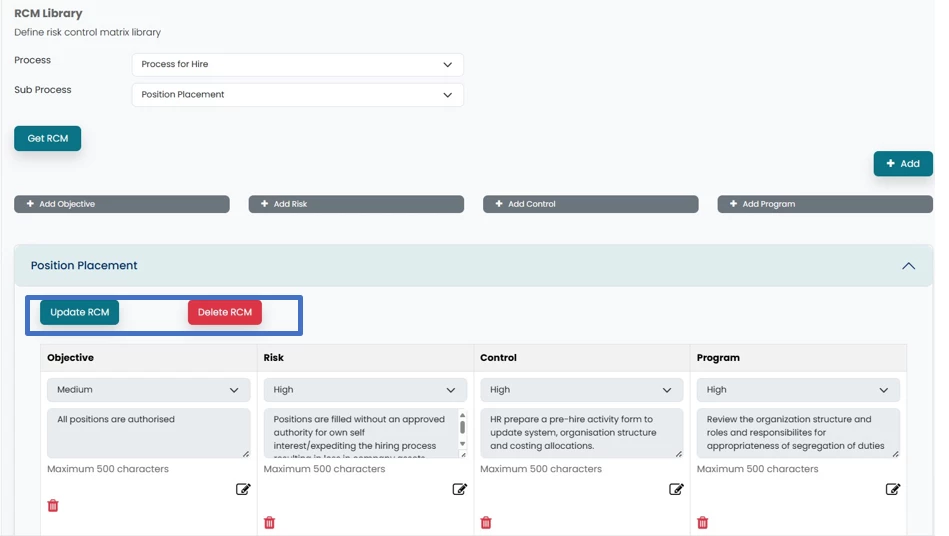
- RCM can be updated/ deleted by clicking on update/ delete RCM
Risk control matrix questions
What is the difference between a risk register and a risk control matrix?
A risk register typically summarizes risks, ownership and responses across an organization or process. A risk control matrix links specific objectives and risks to controls and audit procedures, making it useful for planning and documenting control testing.
Can one risk have multiple controls in Abilite?
Yes. The RCM library instructions show that multiple controls can be added for each identified risk. Review whether the combined controls address the risk and document the audit work needed to evaluate them.
Does an RCM replace the auditor’s work program?
An RCM can organize part or all of the work program if it includes the procedures and documentation your engagement needs. A list of risks and controls without clear audit procedures is not a complete testing plan.