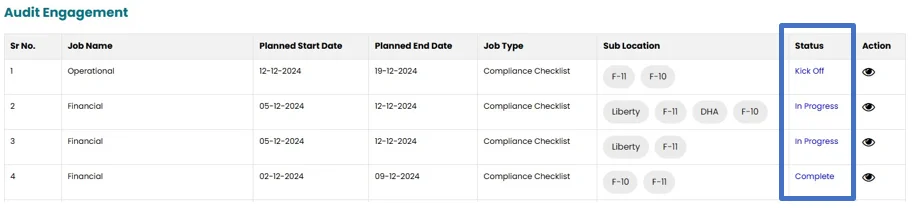
Under this section, List of all approved jobs are shown chronological order with the following information;
- Sr. #
- Job Name
- Planned Start Date
- Planned End Date
- Job Type
- Sub Location
- Status
This section represents whether the job is at “Kickoff”, “In-Progress” or “Complete”. - Job Status
By Clicking on the Job Status, you can see the work performed in detail
Note: Users will be able to see all the jobs assigned to them, while the Internal Audit Head will have the privilege to view and access all the jobs. Only Resources assigned to the job and Internal Audit Head can view particular job in audit Engagement section.
To start the job, click on the “Kick Off”

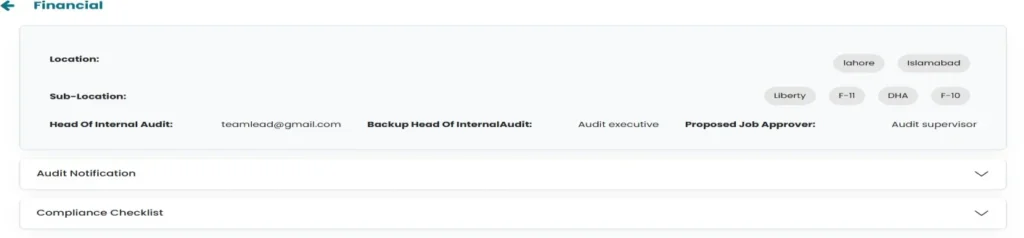
Brief summary of job will be available on top mentioning Location, sub location, Head of internal audit, back up head of internal audit and proposed job approver