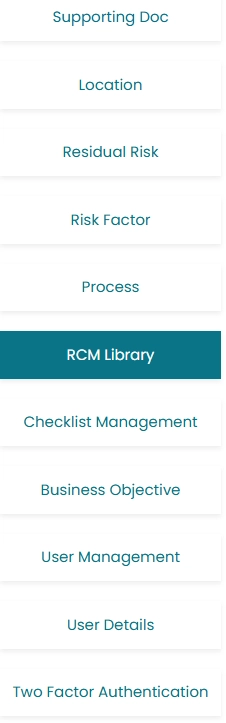
- Click on RCM Library located on the left side of the screen, in order to view or add Risk control matrix and create RCM library.
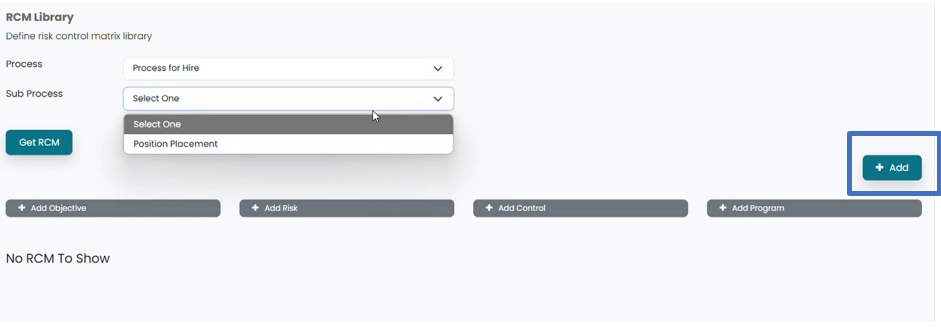
- Risk Control matrix can be added by clicking on Add button.
- New window will Open.

- Click on Process to select process from the drop-down menu, for which RCM need to be added.
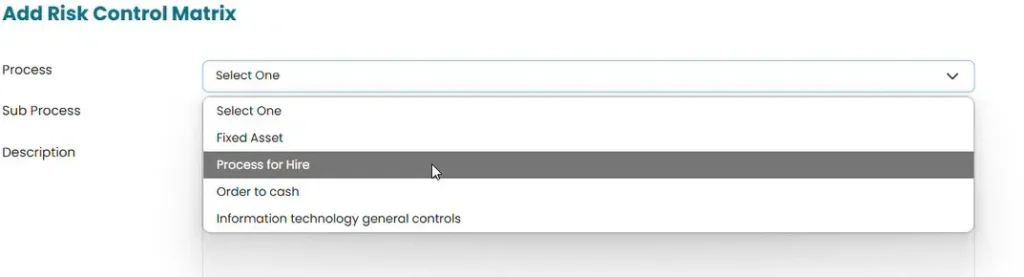
- Click on Sub process to select from the drop-down menu.
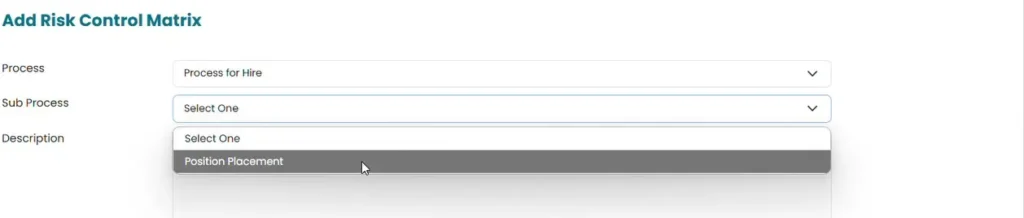
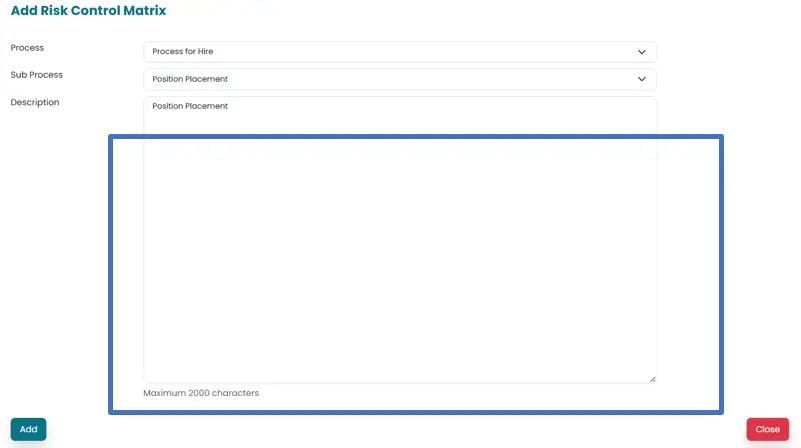
- Add name of the RCM in the area provided for description.
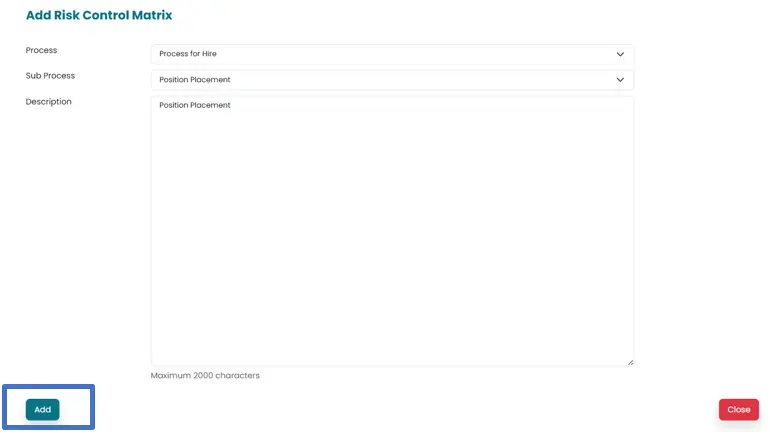
- Click on Add button in order to save the Risk control matrix.
- RCM can be viewed by Clicking on Process to open the drop-down menu populated by system from process added in previous section.
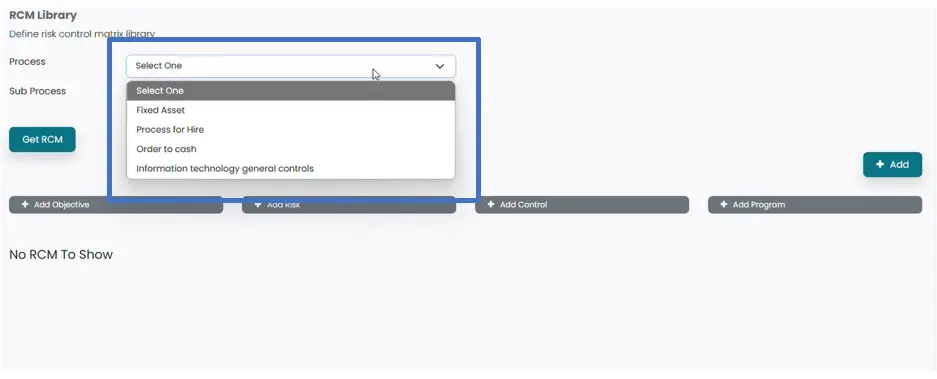
- Click on sub process to select the subprocess populated from previous section.
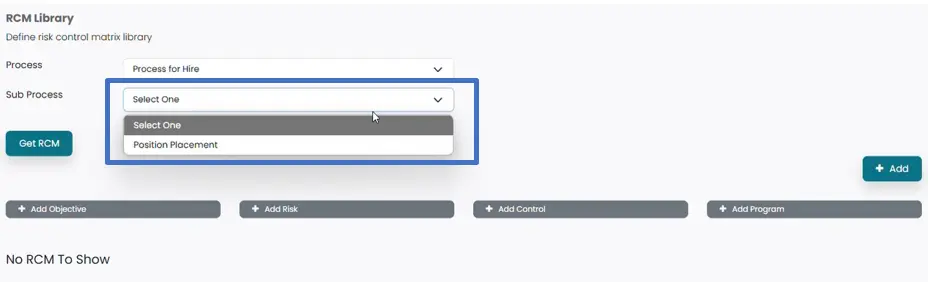
- Click on Get RCM Button to populate the saved RCMs.
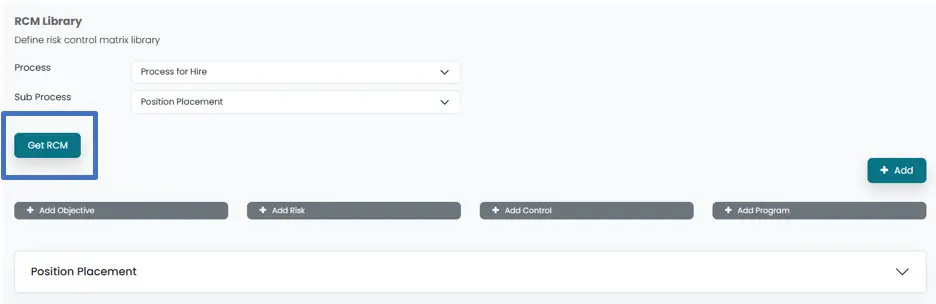
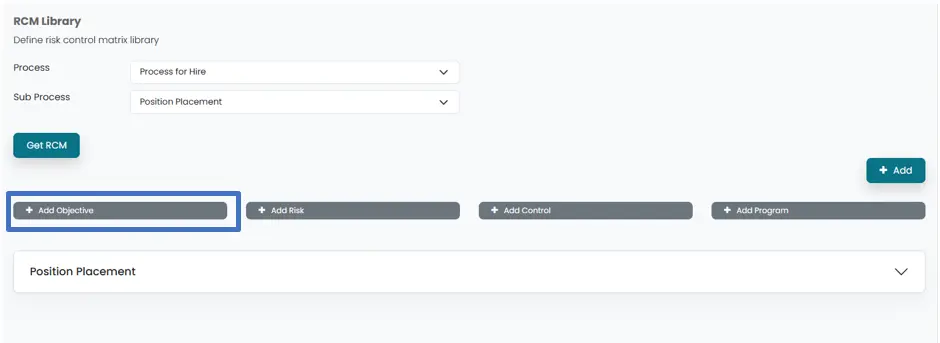
- Objective of the RCM can be added by Clicking on Add objective button. Which will open a new window.
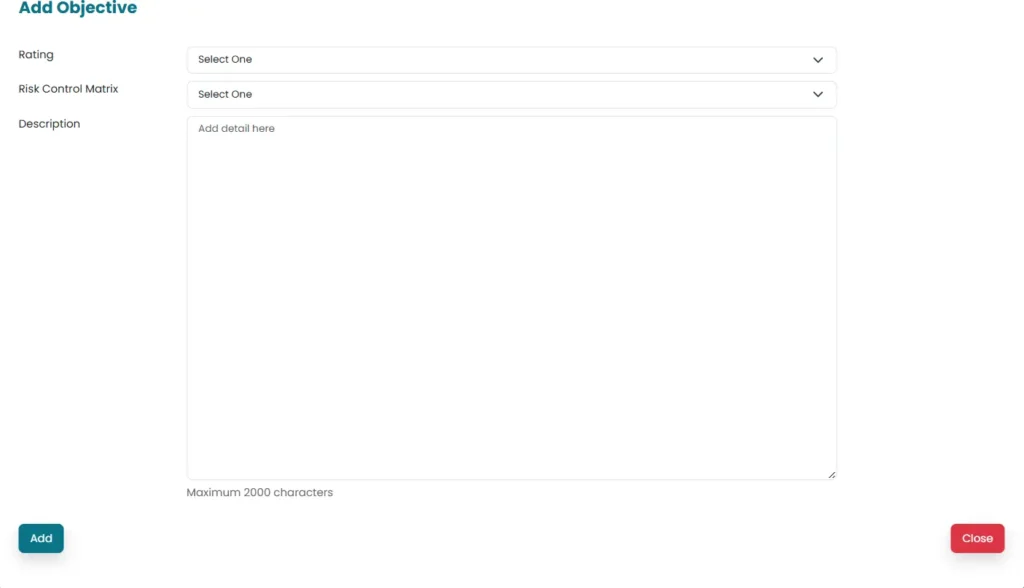
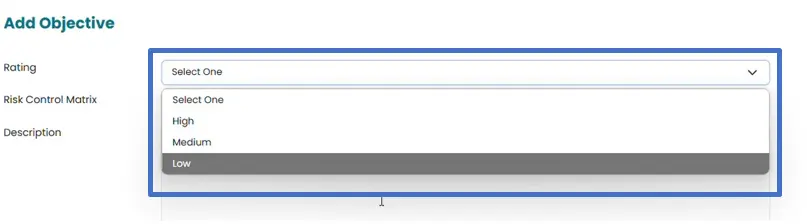
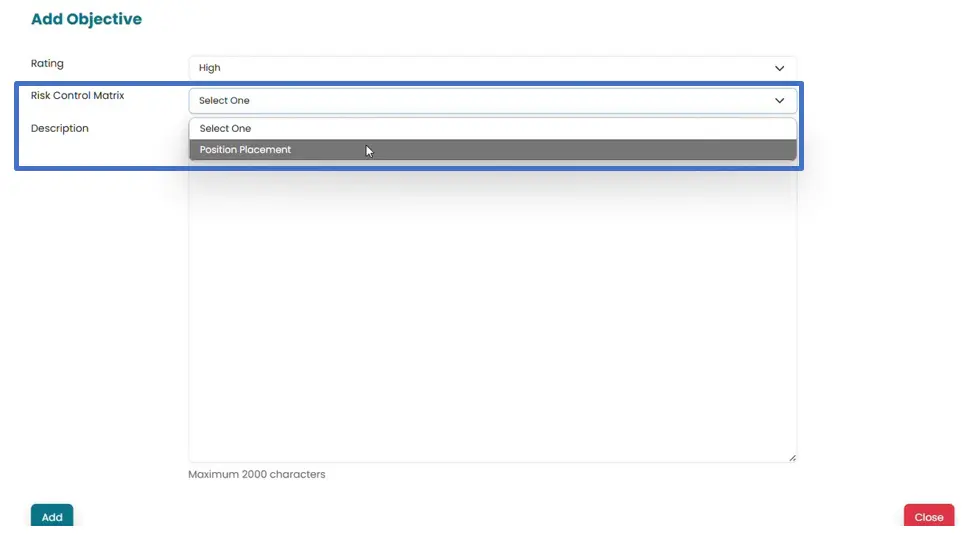
- Select Rating and Risk Control Matrix (populated by the system) from the drop down menu
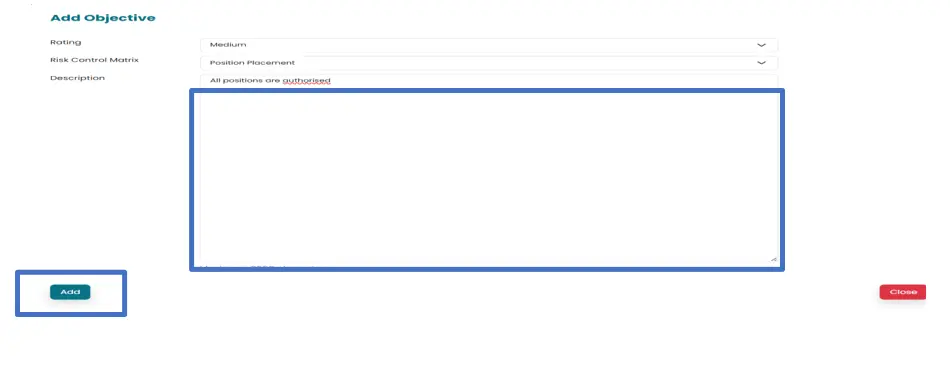
- Add details of objective in the area provided for description and then click on Add button to save the changes made.
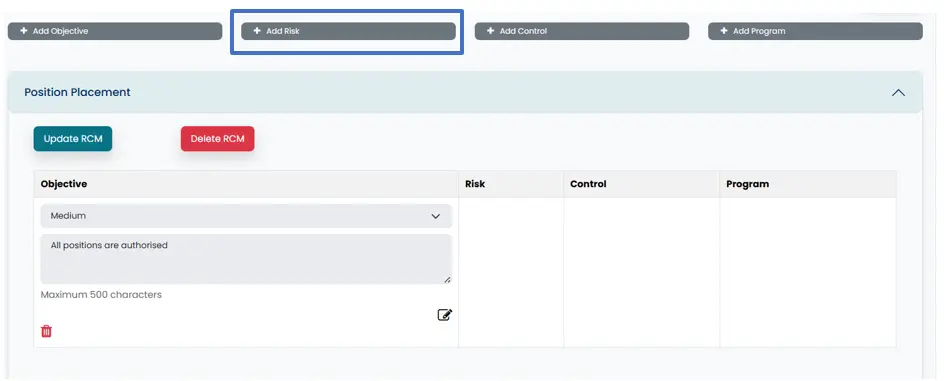
- Click on Add risk in order to save the risk associated with Objective.
- Select Rating from the drop-down menu.
Select Objective from the from drop-down menu. They are populated by the system
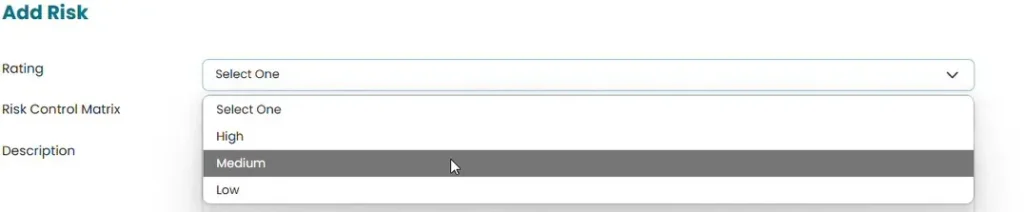

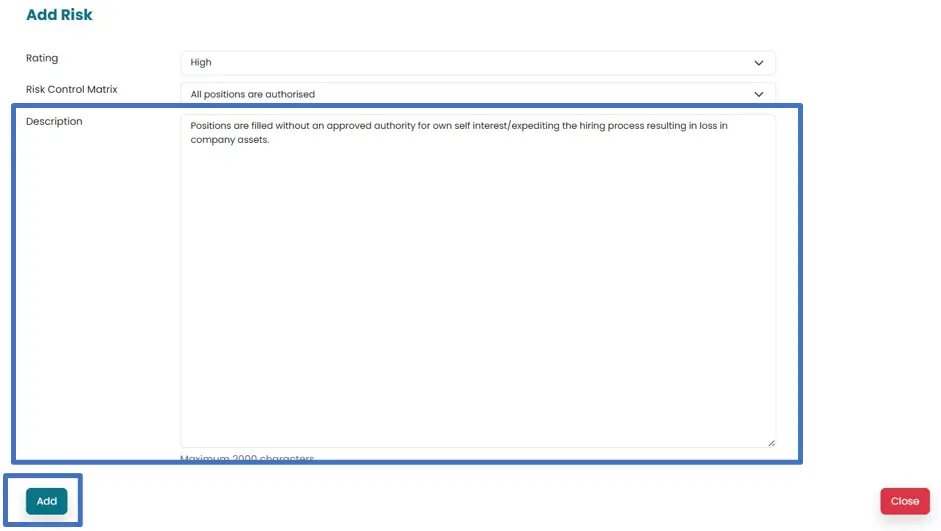
- Add details of risk in the area provided for description and then click on Add to save the risk associated with selected objective.
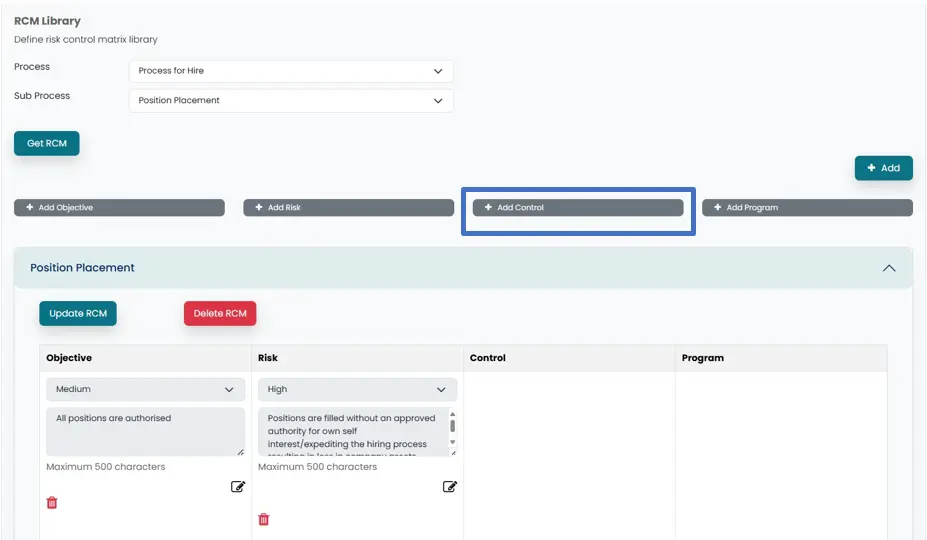
- Click on “Add control” in order to add control in relation to risks identified. A new window will open.
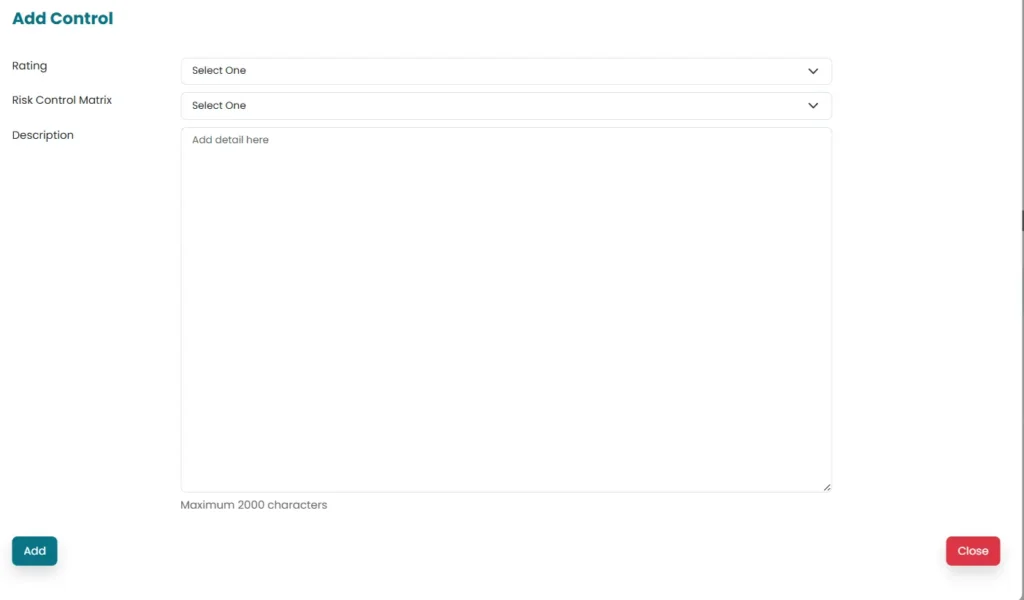
- Select Rating and risk (populated by the system) for which control is added, from the drop-down menu.
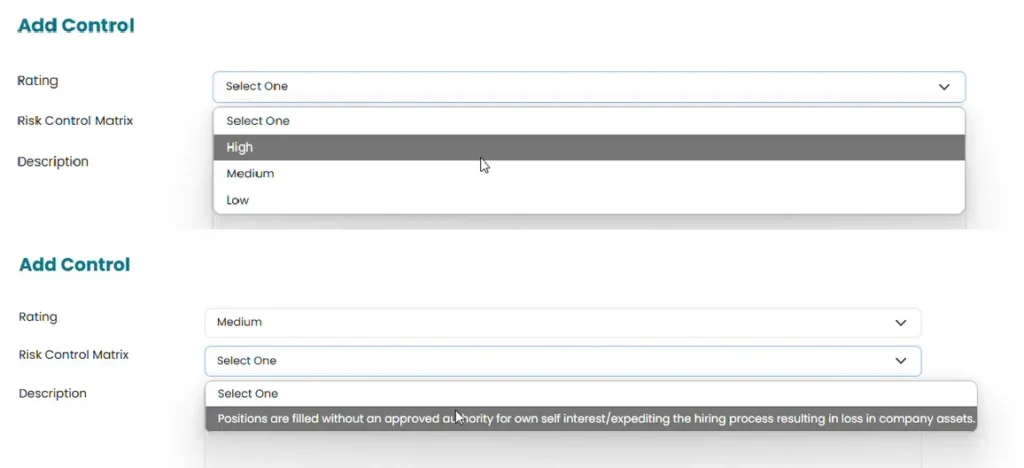
- Add details of Risk in the area provided for description.
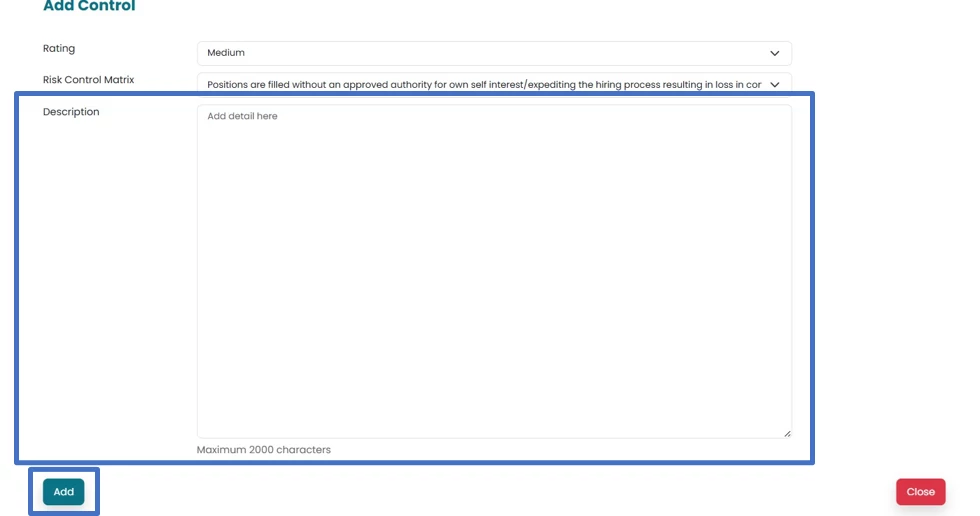
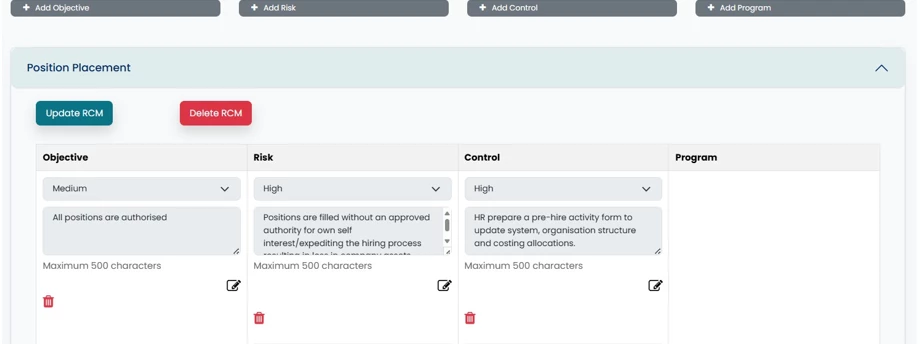
- Control will be populated against the selected risk. Multiple controls can be added for each identified risk.
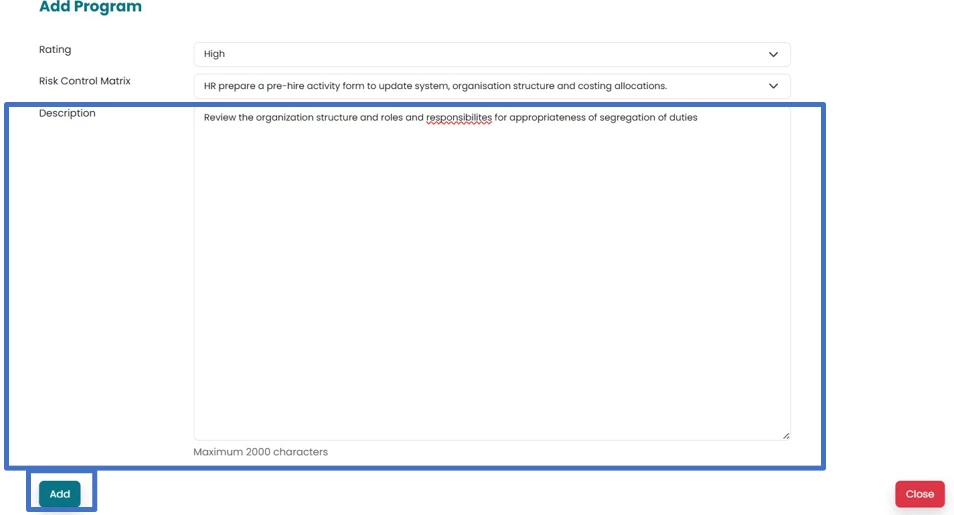
- Click on Add Program in order to populate Audit program for added controls. A new window will open.
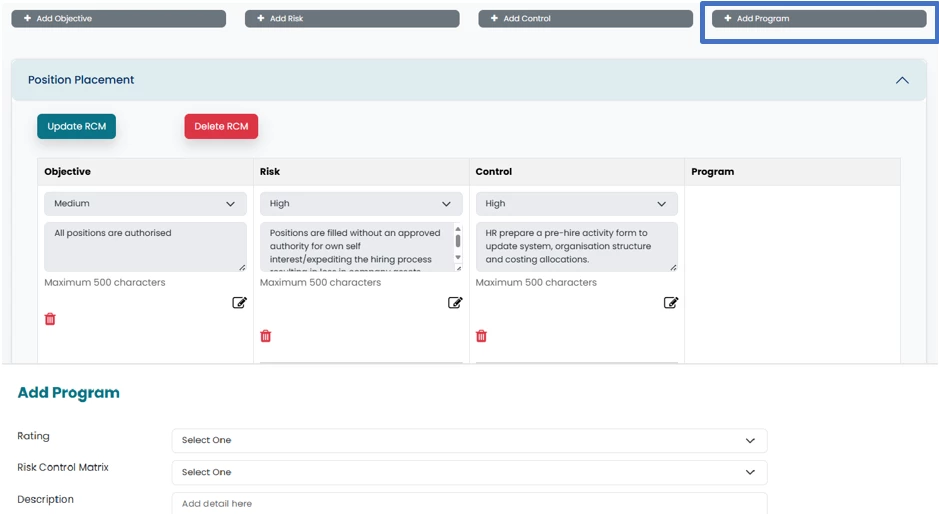
- Select Rating and controls (populated by the system) from the drop-down menu.

- Add details and click on Add button to save the Audit progam.
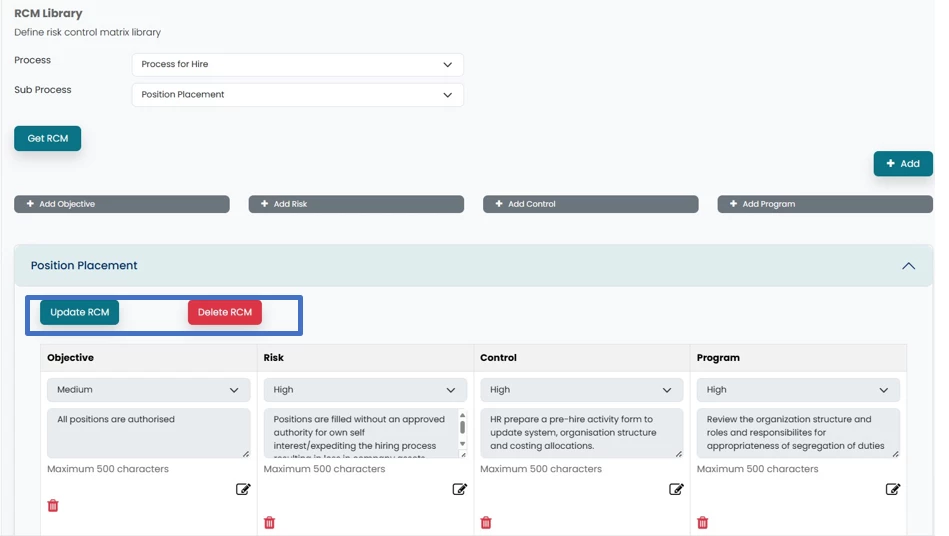
- Objective along with risks, control Audit program will be saved.
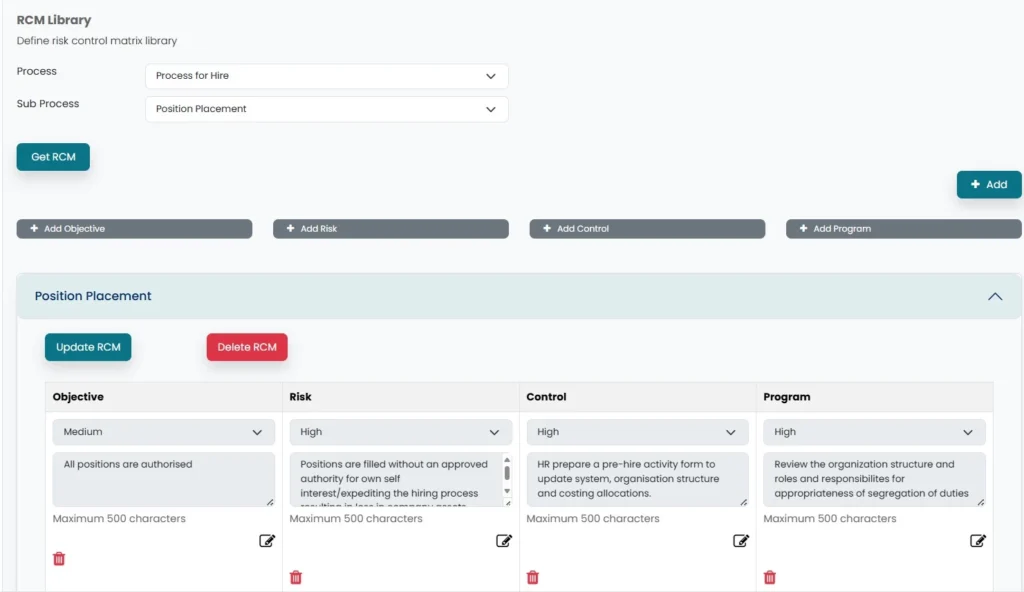
- RCM can be updated/ deleted by clicking on update/ delete RCM