
On Premise Internal Audit Software 7 Powerful Checks
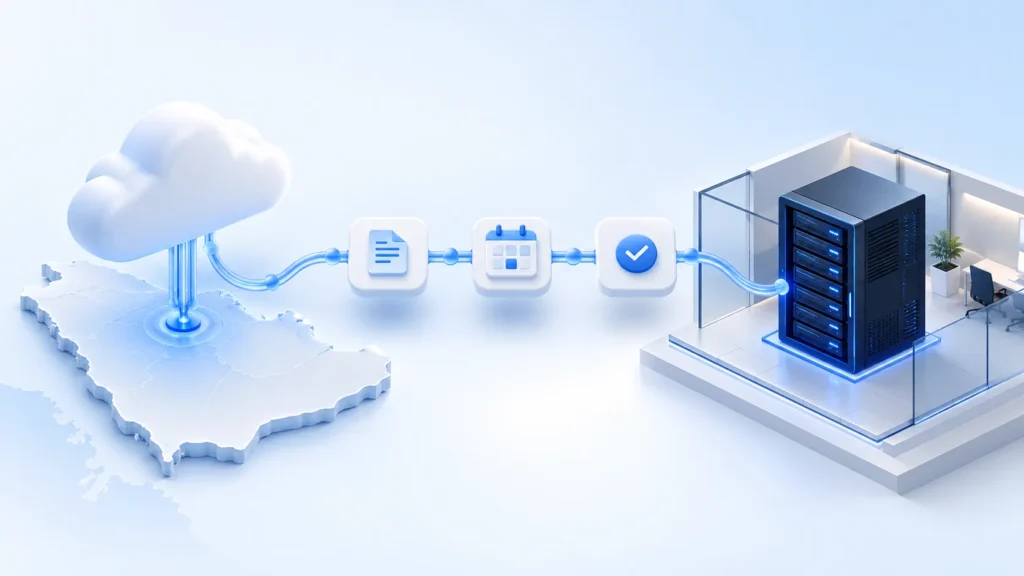
Choosing on premise internal audit software is also a decision about who operates the system holding your audit work. Planning files, working papers, findings and management responses need a clear home and accountable owners. A good demonstration should show the audit workflow and make the deployment responsibilities equally clear.
For Saudi audit teams, start with a practical comparison of local servers and Saudi hosted cloud. Choose the option your audit, technology and security teams can operate and support, then confirm the responsibilities in writing.
Abilite offers cloud hosting on a server in Saudi Arabia and deployment on an organisation’s local servers. This guide provides seven checks to prepare for that discussion. It does not assume that either hosting model automatically satisfies every requirement that applies to your organisation.
For a customer example of local-server deployment, read the NADRA customer announcement and deployment lessons.
On premise internal audit software and Saudi cloud hosting
In a local deployment, the application runs on infrastructure arranged for your organisation. The exact operating model depends on the agreement. Your technology team may run the servers while the software vendor handles agreed application support, for example. Confirm that division rather than assuming that “on premise” describes a complete support service.
With a hosted deployment, the provider operates the application environment under the agreed service arrangements. Ask where production data, backups and supporting services reside. The location of a production server is one part of that conversation.
| Evaluation area | Local server deployment | Saudi hosted cloud |
|---|---|---|
| Infrastructure | Identify the servers and operating team | Confirm the hosting arrangement and locations |
| Access | Agree network access and remote support | Agree user access and administration |
| Updates | Schedule application and infrastructure changes | Confirm the provider’s update process |
| Backups | Assign creation, protection and restore testing | Confirm backup scope and recovery responsibilities |
| Capacity | Plan storage, performance and expansion | Confirm capacity management and service limits |
| Exit | Define data export and environment handover | Define export, retention and deletion arrangements |
Treat this as a discussion framework. Features, responsibilities and service commitments must be confirmed for the actual deployment you purchase.
1 Map your audit information before choosing infrastructure
List the information your team expects to store. Include annual plans, engagement documents, supporting evidence, draft findings, management responses and final reports. Identify who needs each type of information and which teams currently receive copies.
For on premise internal audit software, bring that information map to the technology discussion. A single engagement can involve reviewers, action owners and administrators with different needs. Ask the vendor to demonstrate the relevant workflow using an example that resembles your organisation’s work.
Agree which records will move from existing spreadsheets or folders. Separate the information needed for current engagements from historical records that can remain in an archive. This makes the migration conversation more specific and gives the implementation team a realistic starting point.
2 Confirm locations and support access
Ask where each part of the service operates. Cover the application, database, backups, logs and any supporting services included in the proposed design. Then ask how support staff obtain access and how that access is approved.
The answer should describe the real arrangement. “Hosted locally” needs enough detail for your technology team to evaluate it. For on premise internal audit software, confirm whether the proposed installation needs external connections and discuss any restrictions before committing to the architecture.
Saudi organisations should identify which regulatory and internal policies apply to their own circumstances. The NCA publishes the Essential Cybersecurity Controls, including ECC 2-2024, on its official controls page. Refer to the official documents when assessing applicability and controls. A deployment location alone does not establish conformance.
3 Assign operating responsibilities
A local installation needs an operating owner after the implementation team finishes. Build a responsibility table covering the application, operating system, database, storage, network, monitoring and support escalation.
For each item, record the owner, the expected action and the handover point between teams. Ask who diagnoses a slow report, who handles a server alert and who decides when a maintenance window can begin.
When evaluating on premise internal audit software, this table can reveal gaps that a feature comparison misses. An audit team should not discover after launch that neither the vendor nor internal technology staff expected to maintain a particular component.
4 Review backups through a recovery exercise
Ask the proposed operating team to explain how it would restore the service after a failure. Identify which records the backup covers and how the team would check that restored information is complete and usable.
Discuss acceptable disruption with the people who depend on the platform. A reporting deadline or several simultaneous engagements can change the business impact of downtime. Use that context when agreeing recovery objectives and responsibilities.
The evaluation of on premise internal audit software should include a restore demonstration or a documented test plan agreed with the responsible team. Record what must be tested before launch and who will approve the result. Apply the same scrutiny to a hosted proposal, where the provider’s commitments also need to be clear.
5 Test the complete engagement workflow
Deployment is only useful if the audit team can complete its work. Take one realistic engagement through planning, execution, reporting and follow-up during the demonstration.
Use this short script:
- Create a planning scenario with a defined scope and responsible reviewer.
- Show how working papers and results remain connected to the engagement.
- Record a finding and the management response needed to address it.
- Identify an action owner and show how follow-up status is reviewed.
- Prepare a report or management view from the available information.
Ask which steps are available in the proposed configuration and which require further discussion. The goal is to evaluate the demonstrated behaviour of on premise internal audit software against your actual workflow. Keep a record of questions and unresolved requirements.
For a broader buying process, use Abilite’s enterprise software selection guide.
6 Agree updates and a realistic launch plan
Ask how application updates are delivered and tested. Identify who checks compatibility, approves the maintenance window and confirms that the system still works afterwards. Discuss how the team handles a failed update and what support is available.
Include training and migration in the launch plan. Start with a manageable group of users and a representative engagement. That gives reviewers and action owners a chance to identify workflow questions before the whole audit programme depends on the platform.
For on premise internal audit software, the implementation plan should also name the infrastructure prerequisites and the person approving them. Avoid committing to a launch date until the teams responsible for those prerequisites have reviewed the proposal.
7 Compare ownership and exit arrangements
Review the full operating arrangement during the commercial discussion. Include implementation, infrastructure, internal staff time, support, updates, training and the work needed to move existing information.
For on premise internal audit software, ask how your organisation can export its records if its needs change. Discuss usable formats, attachments, handover assistance and the handling of any remaining copies under the agreed terms.
The most useful comparison of on premise internal audit software and hosted cloud combines workflow suitability with clear responsibilities. A lower initial quote can become difficult to operate if important tasks have no owner. Bring audit and technology decision-makers into the same review so both sides understand the proposal.
On premise internal audit software demo with Abilite
Bring one engagement scenario, your information map and a short list of infrastructure questions. Ask the team to walk through the audit workflow first, then discuss Saudi hosted cloud and local server deployment against those needs.
Abilite brings planning, working papers, findings, reporting and follow-up into a connected internal audit workspace. Its Saudi Arabia page explains the local offering. Deployment details and commercial terms can be discussed during your demonstration.
Frequently asked questions
Does Abilite offer on premise internal audit software?
Yes. Abilite can be deployed on an organisation’s local servers. Discuss the infrastructure, implementation and operating responsibilities with the team before choosing the deployment arrangement.
Is Abilite cloud hosting available in Saudi Arabia?
Yes. Abilite offers cloud hosting on a server in Saudi Arabia. Ask the team about the proposed environment, supporting services and operating arrangements during the evaluation.
Does a local server guarantee regulatory compliance?
No. Assess the controls and requirements applicable to your organisation, along with its policies and actual implementation. Review relevant official documents and involve the responsible specialists.
Should audit or technology lead the evaluation?
Both need to contribute. Audit should test the engagement workflow and reporting needs. Technology should review the architecture, access, operations, updates and recovery arrangements.
Can we discuss pricing during the demonstration?
Yes. Bring your deployment preference, expected users and implementation questions so the team can discuss the commercial arrangement in context.

[…] in Saudi Arabia. Buyers can compare that option with deployment on their own local servers. The on-premise deployment evaluation guide explains seven checks to make before choosing a hosting […]